
City Bus Simulator Driving Games
Free to play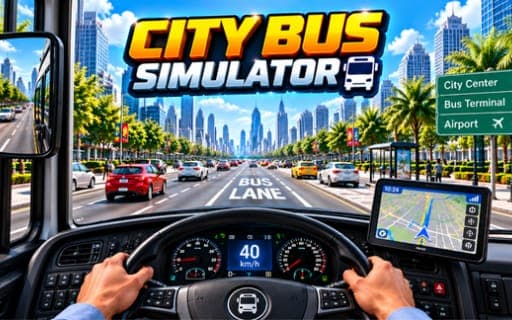
City Bus Simulator Driving Games
Game by Playgama. The provider may show ads and use cookies. Learn more
- Category
- Racing
- Platform
- Web browser
- Provider
- Playgama
- Price
- Free to play
About City Bus Simulator Driving Games
City Bus Simulator Driving Games makes you the driver of a large city bus with a list of jobs rather than a race to win. A mission asks you to collect passengers at one spot, follow the in-game map to their destination, pull the bus neatly into place and let them off. Busy streets and tight parking areas are the main obstacles, and the levels, which number in the dozens, ask for more as you move through them.
Three modes change the conditions. City Mode is the standard pick-up and drop-off work on crowded roads. Winter Mode moves the routes onto snow, where slippery surfaces punish rough steering and late braking. The third mode removes missions entirely so you can drive the bus around town with no task to finish. Along the way you get to drive different buses and unlock new ones, and a camera key lets you change the viewing angle for tricky parking.
Game provided by Playgama
How to play City Bus Simulator Driving Games
Objective
Complete each passenger mission by picking riders up, driving the route shown on the map, parking carefully and dropping them at their destination, then move on to harder levels.
Controls
Desktop
- WASD: drive the bus
- Space: brake
- C: change camera angle
- P: pause
- Ctrl: settings
- N: skip the level
Mobile
- Left button: steer left
- Right button: steer right
- Race button: drive forward
- Brake button: slow down and stop
Getting started
- Choose City Mode for the standard passenger missions, and leave Winter Mode for later once you trust your braking.
- Check the in-game map for the pick-up point, then drive there with WASD or with the Race and steering buttons.
- Slow down with Space or the Brake button as you reach the passengers, and line the bus up so they can board.
- Follow the route on the map to the destination, park carefully and let the riders off to finish the mission.
- Press C to switch camera angles when a parking spot is hard to judge, and P whenever you need a pause.
Tips
- On snowy Winter Mode roads, start braking with Space well before the stop, since slippery surfaces stretch the distance the bus needs.
- A different camera angle from the C key often makes a tight parking spot easier to read than the default view.
- If a parking mission blocks progress, N skips the level on a computer, so you can come back after more practice.
- Use the no-mission mode to learn how the long bus swings through corners before taking on later levels with tougher routes.
Play in your browser. No download needed.
City Bus Simulator Driving Games FAQ
What modes does City Bus Simulator Driving Games have?
City, Winter and Free Mode. City has passenger missions on busy streets, Winter puts them on snowy, slippery roads, and Free Mode lets you drive around the city with no missions at all.
How do you control the bus on a phone?
With four on-screen buttons. Left and Right steer, Race drives the bus forward and Brake slows it down, which covers everything you need to pick up and drop off passengers.
How do you find where the passengers need to go?
Use the in-game map. It shows the route and the destination for each mission, so you can plan turns ahead of time instead of guessing your way through the busy streets.
Can you unlock other buses?
Yes. The game lets you drive different buses and unlock new vehicles as you progress through its dozens of levels, which get more difficult the further you go.