
Car Smash Simulator: Crash & Tune
Free to play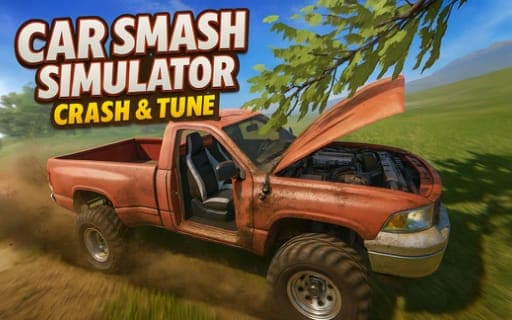
Car Smash Simulator: Crash & Tune
Game by Playgama. The provider may show ads and use cookies. Learn more
- Category
- Racing
- Platform
- Web browser
- Provider
- Playgama
- Price
- Free to play
About Car Smash Simulator: Crash & Tune
Car Smash Simulator: Crash & Tune is an open-world sandbox built around wrecking cars. The damage model shows every hit: doors come loose, hoods crumple and wheels break away in heavy crashes. Around the world you find zones packed with destruction tools, including mega ramps, hydraulic crushers and giant hammers, and there is no set order for using any of them.
New cars roam the map, waiting to be found and claimed. Any car you claim can then be tuned: repaint the whole body or individual parts and adjust wheel size, ride height and camber. Handy keys keep the chaos manageable: R flips a car back over, K repairs it, N switches to the next car and B triggers slow motion so you can watch a crash unfold. Mobile devices swap the keyboard for on-screen buttons.
Game provided by Playgama
How to play Car Smash Simulator: Crash & Tune
Objective
Explore the open world, smash cars in the destruction zones, find new vehicles roaming the map and tune each one, with no fixed goal beyond the mayhem you choose.
Controls
Desktop
- WASD: drive
- Space: handbrake
- Shift: nitro
- Tab: pause
- C: change camera
- R: flip the car
- K: repair
- N: next car
- B: slow motion
Mobile
- On-screen buttons: replace the keyboard controls
Getting started
- Drive off with WASD, using Space for the handbrake and Shift for bursts of nitro.
- Head for a destruction zone and try the giant hammers, hydraulic crushers or mega ramps.
- Press B for slow motion during a big crash and C to find a camera angle you like.
- If the car ends up upside down, press R to flip it, or K to repair the damage.
- Look out for new cars roaming the world, make them yours, and tune their paint, wheels, height and camber.
Tips
- Press B for slow motion right before an impact with a hammer or crusher to see the doors, hood and wheels come apart in detail.
- Keep K in mind after a heavy crash, since repairing lets you go straight back to the destruction zones without hunting for another car.
- Use Shift's nitro to build speed for the mega ramps, which are the place for big stunts in the sandbox.
- Tune newly found cars before wrecking them: wheel size, height and camber change the look, and you can paint single parts as well as the whole body.
Play in your browser. No download needed.
Car Smash Simulator: Crash & Tune FAQ
What can you tune in Car Smash Simulator: Crash & Tune?
You can change the full body color or paint individual parts, and adjust wheel size, height and camber. Every car you find roaming the world can be tuned once it is yours.
How do you fix a flipped car in Car Smash Simulator?
Press R to flip the car back onto its wheels, and K to repair it. N switches to the next car if you would rather start fresh, and Tab pauses the game.
Can you play Car Smash Simulator: Crash & Tune on mobile?
Yes. Mobile devices swap the keyboard for on-screen buttons, so you can still drive, use nitro and the handbrake, and reach the other functions from the screen.