
Night City Racing
Free to play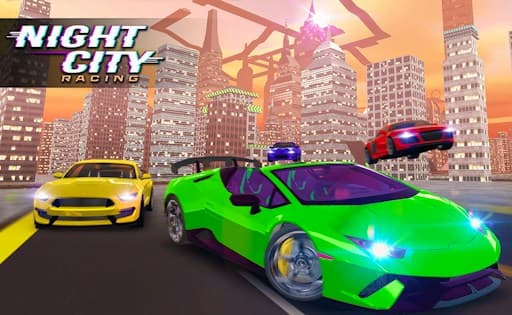
Night City Racing
Game by GamePix. The provider may show ads and use cookies. Learn more
- Category
- Racing
- Platform
- Web browser
- Provider
- GamePix
- Price
- Free to play
About Night City Racing
Night City Racing is a car game set on the streets of a city that has been made ready for night races. You can race alone or share the keyboard with a second player, and both modes put you behind the wheel of a car you choose from a range of models. Cars can be customized in the shop, so your favorite can be turned into something more personal.
The rules are forgiving on purpose. Cars cannot be wrecked, nitro never runs out and the routes are clearly marked, so the game encourages bold, fast driving rather than caution. Besides straight races there are challenges and an open driving mode for exploring the city. Keyboard keys cover everything else: a burst of NOS, a reset that puts the car back in position, a look behind and a switch of camera view.
Game provided by GamePix
How to play Night City Racing
Objective
Win night races through the city alone or against a second player, using NOS, a customized car and the reset key to stay ahead of your rivals.
Controls
Desktop
- WASD or arrow keys: drive (single player)
- Left Shift or Right Shift: NOS boost (single player)
- R: restart the car's position (single player)
- T: look back (single player)
- C: change camera view (single player)
- Player 1 arrow keys: drive in two-player mode
- Player 1 M, O, P, K: NOS, restart position, look back, camera view
- Player 2 WASD: drive in two-player mode
- Player 2 Left Shift, R, T, C: NOS, restart position, look back, camera view
Phones and tablets are not supported, since every control is a keyboard key.
Getting started
- Pick single player or two-player mode; in two-player, both drivers share one keyboard.
- Choose a car from the range on offer, and visit the shop if you want to customize it.
- Drive with WASD or the arrow keys, and press Shift for a burst of NOS on the straights.
- Press R if the car ends up stuck or facing the wrong way, which restarts its position.
- Use T to look back at rivals and C to try a different camera view.
Tips
- Nitro is unlimited and cars cannot be wrecked, so lean on NOS far more than you would in a racer with damage.
- In two-player mode, Player 1 boosts with M and Player 2 with Left Shift; agree on who uses which keys before the race starts.
- The R key restarts the car's position, which is quicker than reversing out of a wall after a bad corner.
- Press T on a straight to see whether a rival is closing in before you commit to the next corner.
Play in your browser. No download needed.
Night City Racing FAQ
Can two people play Night City Racing on one computer?
Yes. In two-player mode, Player 1 drives with the arrow keys and uses M for NOS, while Player 2 drives with WASD and uses Left Shift. Each has separate keys for reset, look back and camera.
What does the R key do in Night City Racing?
R restarts your car's position, putting it back in play if a crash or bad turn leaves it stuck. In two-player mode that key belongs to Player 2, and Player 1 uses O instead.
Does Night City Racing work on a phone?
No. It is made for computers, and every control, from steering to NOS and camera changes, is mapped to keyboard keys, so a phone or tablet is not supported.
Can you customize cars in Night City Racing?
Yes. You can pick between various cars and customize them in the shop, then take them into races, challenges or the free drive mode around the city.