
Hyper Cars Ramp Crash
Free to play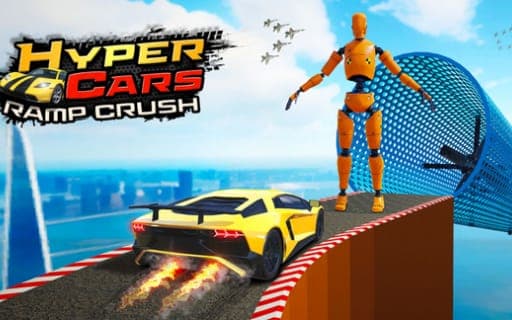
Hyper Cars Ramp Crash
Game by Playgama. The provider may show ads and use cookies. Learn more
- Category
- Racing
- Platform
- Web browser
- Provider
- Playgama
- Price
- Free to play
About Hyper Cars Ramp Crash
Hyper Cars Ramp Crash is a 3D stunt and crash simulator where the damage is the attraction: realistic crash physics let cars get crushed and smashed on impact. The garage holds seven super-sport models, and you pick one before choosing a mode. The list is long: Open World, Crazy Fall Break, a Time Trial against the clock, four themed stunt maps set on a side road, in a forest, by the ocean and in the desert, plus a mode with no objective at all for driving around and trying stunts.
Each mode has its own damage machines to drive into, and the tasks stay clear even though there is no story. Open World, Stunt and Fall modes also support local two-player play on the same device, with separate keys for each driver. Two in-game currencies go toward customization that can change a car beyond recognition, and a realistic interior camera gives you a view from the driver's seat.
Game provided by Playgama
How to play Hyper Cars Ramp Crash
Objective
Pick one of the seven super-sport cars and complete each mode's task, from stunt runs and fall challenges to beating the clock in Time Trial, crashing and smashing along the way.
Controls
Desktop
- WASD or arrow keys: move (one player)
- Left Shift: NOS boost
- R: reset the car position
- C: change the camera view
- Player 2 arrow keys: move in two-player mode, while player 1 keeps WASD
- Player 2 N, L and U: NOS, reset the car position, change the camera view
Getting started
- Open the garage and pick one of the seven super-sport cars to take out first.
- Choose a mode, such as Open World, one of the themed stunt maps, Crazy Fall Break or Time Trial.
- Steer using WASD or the arrows and hit Left Shift for a NOS boost on long run-ups to ramps.
- Press R to reset the car position when a crash leaves it stuck, and C to change the camera view.
- For two players, pick Open World, Stunt or Fall mode; player two drives with the arrow keys plus N, L and U.
- Spend the two in-game currencies on customization to change how your car looks.
Tips
- In Time Trial the clock is your only opponent, so press R as soon as a crash stalls the car instead of trying to drive out of the wreck.
- One player can use either WASD or the arrows, but in two-player mode the two sets belong to different drivers, so player one should stick to WASD.
- Each mode has its own damage machines, so work through all four themed stunt maps rather than repeating one; Side Road, Forest, Ocean and Desert each set up different hazards.
Play in your browser. No download needed.
Hyper Cars Ramp Crash FAQ
Can two people play Hyper Cars Ramp Crash on one computer?
Yes. Local multiplayer supports two players on the same device in Open World, Stunt and Fall modes. Player one uses WASD, Left Shift for NOS, R to reset and C for the camera, while player two uses the arrow keys, N, L and U.
What is the Free Style mode in Hyper Cars Ramp Crash?
Free Style is the open-ended option: you drive wherever you like and try stunts with no set objective. It sits alongside goal-based modes such as Time Trial, Crazy Fall Break and the Side Road, Forest, Ocean and Desert stunt maps.
What are the two currencies used for?
Both in-game currencies are spent on car customization, and the changes can go far enough to make a car unrecognizable. Progress through the modes is driven by clear tasks rather than a storyline.