
Tap tap Swing
Free to play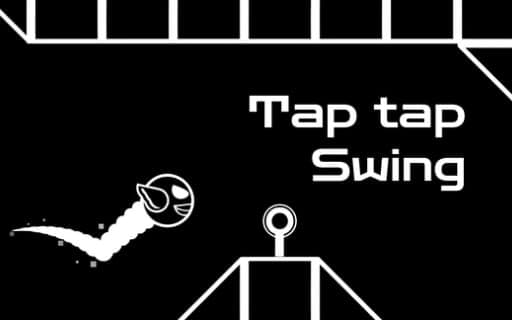
Tap tap Swing
Game by Playgama. The provider may show ads and use cookies. Learn more
- Category
- Racing
- Platform
- Web browser
- Provider
- Playgama
- Price
- Free to play
About Tap tap Swing
Tap tap Swing runs on a single input with three meanings. Press to fly upward, keep holding to hover, and let go to drop. Every level is a stretch of obstacles, and your job is to mix those three states so your character slips through the openings without touching anything. Crashing into an obstacle ends the attempt, and so does falling, so staying airborne is as important as aiming.
The whole game is built around agility. Each level asks for precise timing, and music runs underneath as you play. Because the same button lifts, holds and drops you, the hard part is never knowing what to press; it is knowing exactly how long to keep it down and when to let go. Progress means clearing a level cleanly and moving on to the next, which brings fresh obstacle patterns to read and a new rhythm of presses and releases to find.
Game provided by Playgama
How to play Tap tap Swing
Objective
Guide your character through every obstacle in a level by flying, hovering and dropping at the right moments, without crashing or falling.
Controls
Desktop
- Left mouse button: fly upward; keep it held to hover, let go to drop
- Right mouse button: fly, working the same way as the left
Mobile
- Tap the screen: fly upward; keep pressing to hover, lift off to drop
Getting started
- Start the first level and press, with a mouse click or a tap on the screen, to send your character upward.
- Keep holding to hover at the current height while you line up with the next opening.
- Release to drop, then press again before you fall too far, since falling ends the run.
- Thread each obstacle in turn and reach the end of the level to move on to the next one.
Tips
- Hovering is the safe default: when unsure, hold rather than pressing repeatedly, then make short releases to drop only as far as the next gap needs.
- Releasing sends you down, so let go early before a low opening rather than late; a fall ends the run just as surely as a crash.
- Either mouse button flies on a computer, so pick whichever feels more comfortable and stick with it through long levels.
- Watch the obstacle after next, not just the one in front, so a hover can set you at the right height for both.
Play in your browser. No download needed.
Tap tap Swing FAQ
How do you fly in Tap tap Swing?
Press to rise, keep holding to hover, and let go to drop. On a computer the left or right mouse button does it; on a phone you tap the screen. Mixing those three actions is the whole skill.
What ends a run?
Hitting any obstacle or falling. Both stop the attempt, so a good run avoids every obstacle and keeps enough height to stay alive all the way to the end of the level.
Can you play Tap tap Swing on a phone?
Yes. On mobile you tap the screen to fly, and holding and releasing work the same way as with a mouse: keep pressing to hover and let go to drop.
Does Tap tap Swing have music?
Yes, music plays through the levels and adds to the tension of each stage. The core of every level, though, is the timing of your presses, holds and releases rather than anything you hear.