
Racing: Destruction and Chase
Free to play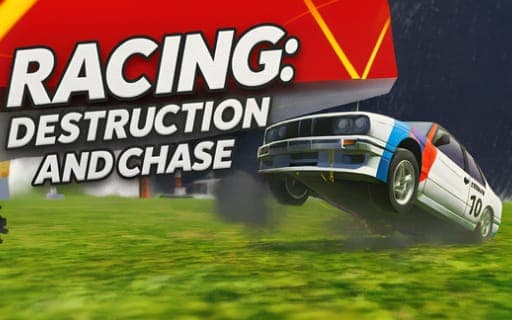
Racing: Destruction and Chase
Game by Playgama. The provider may show ads and use cookies. Learn more
- Category
- Racing
- Platform
- Web browser
- Provider
- Playgama
- Price
- Free to play
About Racing: Destruction and Chase
Racing: Destruction and Chase treats a crash as the main event. The open world lets you pick your activity each time: enter a race, set off a police chase and try to escape it, or simply drive around at your own pace while AI-controlled bots keep the streets busy. Damage is detailed, with doors, hoods and wheels flying off on impact and sparks under the car, and no two collisions play out quite the same.
For deliberate wrecking, the map includes presses, hammers and ramps that show how much punishment a car can take, and an instant repair on the K key puts it back together so you can go again. Tuning covers paint jobs, wheel sizes and suspension height. Extra keys add a handbrake, nitro, a flip for upturned cars and a slow-motion button that is handy for watching a crash unfold.
Game provided by Playgama
How to play Racing: Destruction and Chase
Objective
There is no single finish line: race, escape the police or explore, and use the destruction tools to see how much damage your car can survive before repairing it and starting again.
Controls
Desktop
- WASD: drive
- Space: handbrake
- Shift: nitro acceleration
- C: change the camera angle
- R: flip the car back over
- K: repair the car
- B: slow motion
- Tab: pause
Mobile
- On-screen buttons: drive and use the car's functions
Getting started
- Decide what to do first: join a race, provoke a police chase, or drive off to explore the open world.
- Drive with WASD, use Space for handbrake turns and Shift for a nitro burst; on a phone, use the buttons on the screen.
- Find the presses, hammers and ramps on the map and drive into them to see how durable your car is.
- Press R if the car ends up on its roof, and K to repair it instantly once the damage piles up.
- Open tuning to change the paint job, wheel size and suspension height, then take the new setup back out.
Tips
- Press B just before a big impact with a press or hammer to watch the doors, hood and wheels come off in slow motion.
- During a police chase, the handbrake on Space lets you make sharp turns that can shake off the cars pursuing you.
- Repair is instant with K, so there is no reason to nurse a damaged car; wreck it on purpose, fix it and try a different ramp or tool.
- Wheel size and suspension height change how the car sits, so adjust them between ramp sessions and compare how each setup handles the jumps.
Play in your browser. No download needed.
Racing: Destruction and Chase FAQ
How do you repair or flip the car in Racing: Destruction and Chase?
Press K for an instant repair that restores the car, and R to flip it back onto its wheels. Both are there to get you back into the action quickly after a big crash or a session with the presses and hammers.
Can Racing: Destruction and Chase be played on a phone?
Yes. On a phone the car is driven with on-screen buttons. On a computer you use WASD to drive, plus single keys for the handbrake, nitro, camera, flip, repair, slow motion and pause.
What can you tune on your car?
Tuning covers paint jobs, wheel sizes and suspension height, so you can give each car its own style. Combined with the open world, police chases and destruction tools, it lets you build a car and then see how it holds up.