
Cars vs Zombies
Free to play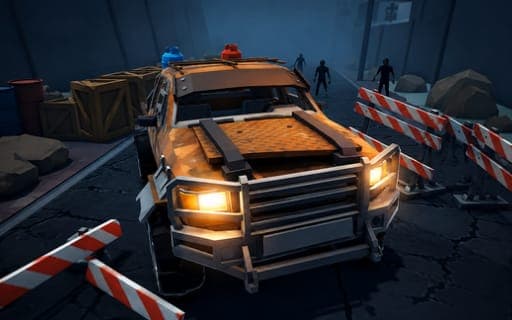
Cars vs Zombies
Game by Playgama. The provider may show ads and use cookies. Learn more
- Category
- Racing
- Platform
- Web browser
- Provider
- Playgama
- Price
- Free to play
About Cars vs Zombies
Cars vs Zombies puts you in an armed car inside arenas that keep filling with zombies. Your job is to drive through the waves, flatten or shoot whatever comes at you with the mounted weapon, and break apart the interactive scenery along the way, since wrecking the arena earns resources too. A rocket booster gives bursts of speed, and if the car leaves the ground you can tilt it in the air to land well.
Between runs the garage is where progress happens. Resources pay for better stats, attachable armor and boosters, so each visit makes the next wave a little easier to survive. Several maps and vehicle types are available, which keeps the arenas from feeling the same, and a slow-motion trigger lets you stretch out the most chaotic moments. On phones the same driving runs through on-screen pedals and buttons.
Game provided by Playgama
How to play Cars vs Zombies
Objective
Survive the zombie waves in each arena by driving, shooting and smashing through them, then spend the resources you earn on stats, armor and boosters in the garage.
Controls
Desktop
- W or Up Arrow: accelerate
- S or Down Arrow: brake and reverse
- A and D or Left and Right Arrows: steer, and tilt in the air
- Left Shift or Space: rocket booster
- Left mouse button: fire the mounted weapon
- Right mouse button: slow motion
- Esc, P or Tab: pause menu
Mobile
- On-screen pedals: gas, and brake or reverse
- Left and right buttons: steer and balance in the air
- Nitro button: fire the booster
Getting started
- Pick a vehicle and a map, then drive into the arena with W or the gas pedal on a phone.
- Steer into the first group of zombies using A and D or the side arrows, or the left and right buttons on a phone.
- On a computer, fire the mounted weapon with the left mouse button at zombies you cannot run down.
- Smash through the interactive scenery as you go, since destroying parts of the arena also earns resources.
- After the run, open the garage and spend resources on stats, attachable armor or boosters before the next attempt.
Tips
- Breakable scenery is a source of resources too, so swing through it between waves to keep your upgrade fund growing.
- Attachable armor helps the car last through bigger waves, so it is worth buying early alongside the stat upgrades.
- When the car is airborne, use A and D or the arrows to balance it, so it lands on its wheels and keeps moving.
- Trigger slow motion with the right mouse button when a crowd closes in, giving you time to aim the mounted weapon.
Play in your browser. No download needed.
Cars vs Zombies FAQ
What can you upgrade in Cars vs Zombies?
Your vehicles, in the garage. Resources from each run go into improved stats, attachable armor and boosters, and you can choose among several vehicle types and maps as you progress.
How do you shoot?
Press the left mouse button to fire the weapon mounted on your car. The right mouse button triggers slow motion, which is useful for lining up shots when zombies surround you.
What are the controls on a phone?
On-screen pedals handle gas and brake or reverse, left and right buttons steer and balance the car in the air, and a nitro button fires the booster. These are the touch controls for mobile.
What does air balance mean?
When the car is in the air, the steering controls tilt it. The A and D keys, the side arrows or the phone's steering buttons let you level the car before it lands.