
Real Parking Game
Free to play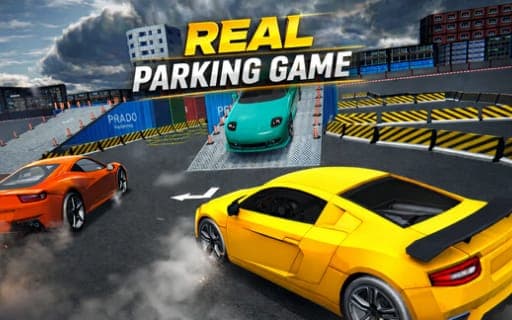
Real Parking Game
Game by Playgama. The provider may show ads and use cookies. Learn more
- Category
- Racing
- Platform
- Web browser
- Provider
- Playgama
- Price
- Free to play
About Real Parking Game
Real Parking Game is about getting a car from the start of a course to a marked parking space without hitting anything on the way. Each of the dozens of hand-crafted levels mixes obstacles, narrow lanes and awkward parking spots, and a level is complete once you pull cleanly into the designated place. Collisions are the thing to avoid at every turn.
Everything begins in a large garage stocked with cars waiting to be unlocked, and completing levels moves you toward them. The difficulty climbs gradually: early stages work like tutorials that teach the basics, while later levels turn into expert parking puzzles that demand precise maneuvering through tight spaces. Realistic driving physics and responsive controls sit behind each maneuver. On a computer you steer, accelerate and brake with keys, and on a phone an on-screen joystick and gas and brake buttons do the same jobs.
Game provided by Playgama
How to play Real Parking Game
Objective
Steer through each course without hitting obstacles and stop in the marked parking place to finish the level and progress toward new cars.
Controls
Desktop
- Left / Right arrows or A / D: steer
- W or Up Arrow: accelerate
- S or Down Arrow: brake or reverse
Mobile
- On-screen joystick: steer
- Gas button: accelerate
- Brake button: brake or reverse
Getting started
- Begin in the garage, where the cars you can unlock are on display, and start the first level.
- Work through the tutorial-style early stages to learn steering, accelerating and braking.
- Turn with the arrows or A and D, or the on-screen joystick, keeping clear of obstacles and lane edges.
- Use S, the down arrow or the brake button to slow down, and to reverse when a turn needs another try.
- Pull into the marked spot to finish the level and move closer to a new car.
Tips
- Brake and reverse share one input, so keep holding it after the car stops when you need to back up and straighten out.
- Later levels turn into expert puzzles, so use the gentle early stages to learn how the realistic physics carry the car into turns.
- In narrow lanes, line the car up straight before accelerating; correcting halfway through a gap is an easy way to clip an obstacle.
- Completing levels is what unlocks progress toward garage cars, so a careful attempt without collisions beats a quick, risky one.
Play in your browser. No download needed.
Real Parking Game FAQ
How do you reverse in Real Parking Game?
Use the brake input. On a computer, S or the down arrow brakes and then reverses; on a phone, the on-screen brake button does the same. Backing up is often needed in the tightest spots.
How does the garage fill up with new cars?
Complete levels. Each level you finish moves you closer to new cars in the large garage you start in, so steady progress through the hand-crafted courses builds your collection.
Is Real Parking Game good for beginners?
Yes. The difficulty builds gradually, with early stages laid out like tutorials before the later levels become expert parking puzzles full of tight spaces and narrow lanes.
Does Real Parking Game work on a phone?
Yes. An on-screen joystick steers while gas and brake buttons handle accelerating, braking and reversing, and the game is tuned to run smoothly on mobile devices.