
Ultimate Flying Car
Free to play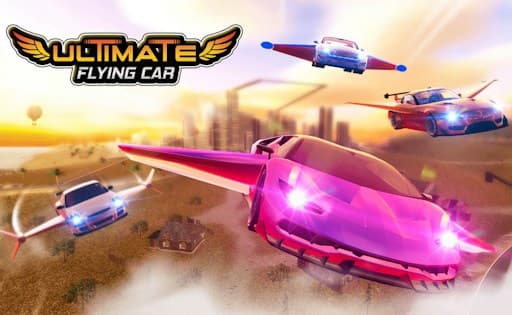
Ultimate Flying Car
Game by GamePix. The provider may show ads and use cookies. Learn more
- Category
- Racing
- Platform
- Web browser
- Provider
- GamePix
- Price
- Free to play
About Ultimate Flying Car
Ultimate Flying Car opens on a night street between blue-lit office blocks, where a pink supercar sits with long wings folded out from its sides and its headlights burning. The ULTIMATE FLYING CAR logo, framed by gold wings, runs across a purple checkered strip at the top. Two mode buttons wait at the bottom, an open roaming ride on the left and RACING on the right, with speaker and music-note buttons tucked into the bottom-right corner.
The whole idea is in the car's design: it drives like a supercar and lifts off like a plane. The game's description talks about high-speed runs through city landscapes and the sky, stunts, power boosts used at the right moment and large areas to explore, and it also mentions races against friends, though the menu itself offers only the two modes. The scene is wide, so a phone works best turned on its side.
Game provided by GamePix
How to play Ultimate Flying Car
Objective
Master a car that both drives and flies, explore the city in the roaming mode and win races by timing boosts and choosing when to take to the air.
Controls
Desktop
- Ride mode (left button): roam the city with no race
- RACING button: start a race
- Speaker and music-note buttons: switch sound and music
Mobile
- Tap RACING: start a race
- Ride mode button (left): explore the streets at your own pace
Getting started
- The game opens on a night-street title screen with the winged pink car and the two mode buttons along the bottom.
- Turn a phone on its side, because the title screen and its two mode buttons are laid out for a wide view.
- Set the speaker and music-note buttons in the bottom-right corner before picking a mode.
- Choose the left-hand ride mode first to learn how the car drives and takes off with no opponents around.
- Move on to RACING once the handling feels familiar, and save power boosts for the stretches where they gain the most.
Tips
- Treat the roaming mode as a practice ground: with no race running, it is the place to learn how the winged car behaves on the road and in the air.
- Power boosts are meant to be used strategically, so keep them for long straights or climbs instead of spending them at the start line.
- Stunts are part of the appeal, but in a race a clean line usually matters more; try tricks in the roaming mode first.
- Sound and music have separate buttons, so you can keep the engine noise and silence the soundtrack, or the other way round.
Play in your browser. No download needed.
Ultimate Flying Car FAQ
What is the difference between FREE RIDE and RACING?
FREE RIDE lets you drive and fly around the city without a race, the easiest way to learn the car. RACING puts you on a course against opponents, where speed, stunts and well-timed boosts decide the result.
Can the car really fly in Ultimate Flying Car?
Yes, that is the premise. The pink supercar on the title screen has long wings folded out from its sides, and the game's description has you soaring through the sky as well as racing along city streets.
Does Ultimate Flying Car have multiplayer?
The game's description mentions races against friends, but the title screen shows only FREE RIDE and RACING, with no separate multiplayer button. Start with RACING to see which opponents are on offer.