
Nitro Racing Gear
Free to play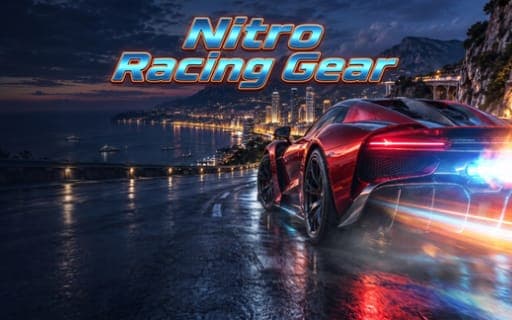
Nitro Racing Gear
Game by Playgama. The provider may show ads and use cookies. Learn more
- Category
- Racing
- Platform
- Web browser
- Provider
- Playgama
- Price
- Free to play
About Nitro Racing Gear
Nitro Racing Gear is an arcade racer laid out as a long campaign: 40 stages spread across eight worlds. The scenery shifts between neon cities, coastal highways, volcanic roads and snowy mountains, and each world has tracks built around its setting. Events come in four kinds, drift challenges, drag duels, sprints and races, so the same car can be asked to hold a slide, nail a launch or win a straight fight.
The controls change with the event. Space or Shift fires nitro in race and drift modes but shifts gears in drag mode, and N is a dedicated nitro key. Between stages you unlock new cars and upgrade their performance in the garage, building toward the final championship at the end of the campaign. Touch controls cover mobile play, and holding the phone in landscape gives the best view.
Game provided by Playgama
How to play Nitro Racing Gear
Objective
Work through the 40 stages across eight worlds, winning sprints, races, drag duels and drift challenges, upgrading your cars in the garage and reaching the final championship.
Controls
Desktop
- W or Up Arrow: accelerate
- S or Down Arrow: brake
- A and D or Left and Right Arrows: steer
- Space or Shift: nitro in race and drift modes, gear shift in drag mode
- N: nitro
- Esc or P: pause
Mobile
- Touch controls: drive, with the phone held in landscape
Getting started
- Start the first stage in the opening world, accelerating with W or the Up Arrow and steering with A and D.
- Brake with S or the Down Arrow before tight corners, and fire nitro with N, Space or Shift on the straights.
- In drag duels, use Space or Shift to change gear instead of boosting, since those keys do a different job in that mode.
- Unlock new cars as you win, and upgrade their performance in the garage between stages.
- Move through all eight worlds, from neon cities to volcanic roads, on the way to the final championship.
Tips
- Space and Shift switch roles in drag mode, so before a drag duel remember that they shift gears there and reach for N when you want nitro.
- In drift challenges, fire nitro on the straights between corners rather than in the middle of a slide, where extra speed makes the car harder to hold.
- Upgrade the car you use most in the garage before moving to a new world, since each world brings its own tracks.
- On a phone, turn it to landscape before starting, which is the recommended way to play with the touch controls.
Play in your browser. No download needed.
Nitro Racing Gear FAQ
What does Shift do in Nitro Racing Gear?
It depends on the mode. In race and drift modes, Space or Shift fires nitro. In drag mode, the same keys shift gears instead. N is a separate nitro key, and Esc or P pauses the game.
How many stages does Nitro Racing Gear have?
There are 40 stages spread across eight worlds, including coastal highways, neon cities, snowy mountains and volcanic roads. The stages mix sprints, races, drag duels and drift challenges, leading up to a final championship.
Can you play Nitro Racing Gear on a phone?
Yes, touch controls are available on mobile, and landscape mode gives the best experience. On a computer the W, A, S and D keys or the arrows drive the car, with nitro on N, Space or Shift depending on the mode.