
Police Chase Simulator
Free to play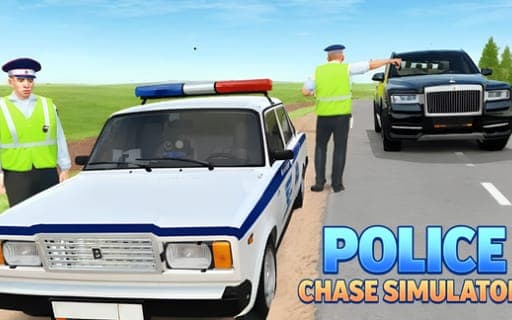
Police Chase Simulator
Game by Playgama. The provider may show ads and use cookies. Learn more
- Category
- Racing
- Platform
- Web browser
- Provider
- Playgama
- Price
- Free to play
About Police Chase Simulator
Police Chase Simulator mixes police chases, wrecks and races across four maps with very different personalities. The City has wide streets and green suburbs, the Countryside adds hills, rocks to jump and a destruction zone, the Test Area is stocked with ramps, presses and props, and the Moon swaps everything for low gravity under a cosmic sky. You can treat any of them as a racing ground or as an open sandbox.
The garage holds more than 15 vehicles, from sedans and SUVs to trucks and special cars. Crashes are the highlight: bodies crumple, doors and wheels come off, windows shatter, and parts of the scenery blow apart around you. A time-slowing key turns any impact into a slow-motion moment, and tuning goes deep, with paint for every detail of the car plus wheel camber, height and size you can adjust to taste.
Game provided by Playgama
How to play Police Chase Simulator
Objective
Choose a vehicle and a map, then race or smash your way around it, using slow motion to catch the destruction and tuning to make each car your own.
Controls
Desktop
- WASD: drive
- Space bar: handbrake
- Shift: nitro
- C: change camera
- R: reset car
- K: restore car
- B: slow down time
- Tab or Esc: pause menu
Mobile
- In-game interface: phone and tablet driving controls
Getting started
- Pick a mode, either Racing or the open Sandbox, then choose one of the four maps to drive on.
- Choose a car from more than 15 sedans, SUVs, trucks and special cars, and open tuning to paint it.
- Drive with WASD, add speed with Shift for nitro and use the space bar handbrake to swing through corners.
- Head for something solid and press B just before contact to watch the crash in slow motion.
- Restore with K or reset with R after a big wreck, then try another map such as the Moon.
Tips
- On the Moon, low gravity keeps the car airborne longer after a bump, so ease off the nitro before jumps if you want to stay in control.
- The Test Area is stocked with ramps, presses and props, which makes it the best map for repeating one specific crash.
- In the Countryside, aim for the destruction zone and the jumpable rocks to get the most dramatic wrecks the map offers.
- Raise the wheel height in tuning before a Countryside run, since its hills and rocks reward a car that sits higher off the ground.
Play in your browser. No download needed.
Police Chase Simulator FAQ
How many vehicles are in Police Chase Simulator?
More than 15. The list covers sedans, SUVs, trucks and special cars, and each one can be tuned with custom paint on every detail and adjustable wheel camber, height and size.
What is special about the Moon map?
It has low gravity and a cosmic backdrop, unlike the City, Countryside and Test Area. Jumps and crashes behave differently there, which makes it a good change of pace once you know the other three maps.
Which modes are available?
Two: Racing and a Sandbox for free driving. The sandbox has no set task, so it suits wrecking cars and trying out tuning, while Racing is the mode for actual races.
Does it work on phones?
Yes. On mobile devices the game uses its own in-game interface for driving, while a computer uses WASD, Shift for nitro, the space bar handbrake and B for slow motion.