
StreetRacer: Realistic Destruction
Free to play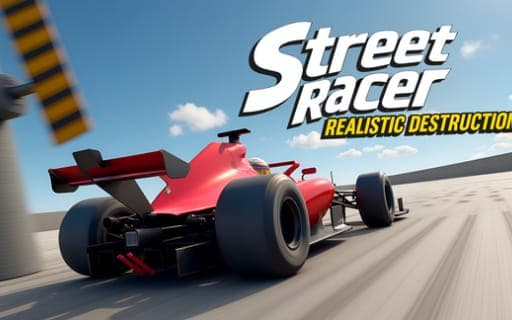
StreetRacer: Realistic Destruction
Game by Playgama. The provider may show ads and use cookies. Learn more
- Category
- Racing
- Platform
- Web browser
- Provider
- Playgama
- Price
- Free to play
About StreetRacer: Realistic Destruction
StreetRacer: Realistic Destruction hands you a big open world and no rules beyond wrecking, tuning and exploring. Crashes are the main show: parts break away on impact, wheels come loose and roll off, and the damage reacts to how hard and where you hit. Dedicated areas with presses and ramps give you ready-made ways to destroy a car, and traffic moves through the streets, ready to become part of the next pile-up.
Before you send a car into trouble, the customization menus let you change its full exterior and tune both wheels and suspension. A set of destruction tools is spread through the world for extra chaos. When a car is too broken, you can repair it, reset it or spawn a new vehicle, and slow motion lets you watch a crash at a pace where every flying part is visible. Any goals beyond that are yours to set.
Game provided by Playgama
How to play StreetRacer: Realistic Destruction
Objective
Wreck, tune and explore however you like: send cars into presses, ramps and traffic, then customize, repair or replace them for the next crash.
Controls
Desktop
- WASD: drive
- Space: handbrake
- Shift: boost
- C: change camera
- R: reset car
- K: repair
- N: new vehicle
- B: slow motion
- Tab: pause
Mobile
- Tap on-screen buttons: every action on a phone
Getting started
- Open the customization menu first and set up the car's exterior, wheels and suspension the way you want.
- Drive into the open world with WASD, or tap the on-screen buttons on a phone, and look for a press or ramp area.
- Build speed with Shift and hit a ramp or press, pressing B as you arrive to see it in slow motion.
- Drive into the moving traffic for a pile-up, and press C to find a better angle on the wreck.
- Press K to repair, R to reset or N for a new vehicle, then set yourself a fresh challenge.
Tips
- Wheel and suspension tuning change how the car behaves, so try a soft and a stiff setup on the same ramp and compare the results.
- Switch on slow motion a beat before impact so the flying wheels and parts are captured from the very first moment of the crash.
- The traffic moves on its own, so line up a run where its cars bunch together to turn one collision into a bigger pile-up.
- K repairs the car you have, while N swaps to a new vehicle, so pick K when you like your current setup.
Play in your browser. No download needed.
StreetRacer: Realistic Destruction FAQ
Is there a goal in StreetRacer: Realistic Destruction?
Only an open one: wreck, tune and explore as you please. The open world, its press and ramp areas and the moving traffic give you the material, and the challenges are the ones you make up yourself.
What can you customize?
The car's full exterior, plus wheel tuning and suspension tuning. These advanced options let you shape the vehicle before you drive it into a press, off a ramp or into traffic.
How do you play on a phone?
Tap the on-screen buttons to drive and use the car's actions. On a computer, WASD drives and single keys handle the handbrake, boost, camera, repairs and slow motion.
What is the difference between R, K and N?
R resets the car, K repairs it and N brings in a new vehicle. Together they keep you crashing with almost no downtime, whatever state the last wreck left you in.