
Build a Go-Kart
Free to play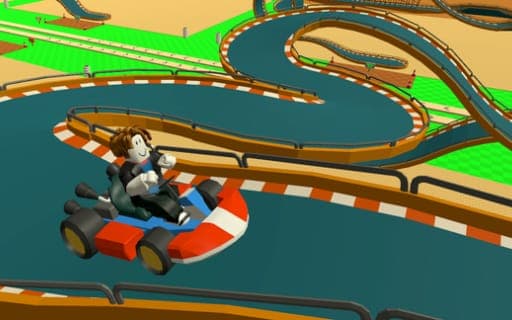
Build a Go-Kart
Game by Playgama. The provider may show ads and use cookies. Learn more
- Category
- Racing
- Platform
- Web browser
- Provider
- Playgama
- Price
- Free to play
About Build a Go-Kart
Build a Go-Kart mixes a building game with a driving one. You start with modular track pieces, set out turns, straights, dangerous sections and boosters, and then climb into your kart and race what you built. Each segment you drive pays money, so the design of the track decides how much a lap earns.
That income goes straight back into the circuit: new block types, a bigger building area and a better layout for higher returns. Two currencies run the economy. Money comes from racing, while diamonds are a second currency that can also be bought, and both pay for blocks and for skins for your Obby character. When growth slows, the prestige option wipes your progress, and in exchange you grow faster and gain options you did not have before. Daily rewards and bonuses for time spent playing add to the pile, and music is optional, since nothing in the game depends on sound.
Game provided by Playgama
How to play Build a Go-Kart
Objective
Design a kart track from modular blocks, race it to earn money for each segment, and reinvest the income into new blocks and a bigger building area.
Controls
Desktop
- WASD: move
- Space: jump or exit the kart
- E: interact
- Mouse: move the camera
Mobile
- Virtual joystick: move
- Jump button: jump
- Interact button: interact
- Touch controls: move the camera
Getting started
- Place your first blocks to form a simple run of straights and turns in the starting area.
- Walk over to your kart with WASD or the joystick and interact with it using E or the interact button.
- Drive the track you built; every segment you complete adds money to your balance.
- Spend the money on new blocks such as boosters and dangerous sections, or on expanding your building area.
- Exit the kart with Space or the jump button and rework the layout for higher profits.
Tips
- Income is paid per segment, so a longer track with more pieces generally earns more per drive than a short, tidy loop.
- Expanding the building area early gives room for longer layouts, which means more segments paying out on every run.
- Prestige wipes your progress, so wait until growth has clearly slowed; the reset is traded for faster growth and options that were locked before.
- Collect the daily rewards and time-spent bonuses on each visit, since they add currency without any extra racing.
Play in your browser. No download needed.
Build a Go-Kart FAQ
What is the difference between money and diamonds in Build a Go-Kart?
Both buy new blocks and skins. Money is what you earn by driving segments of your track, while diamonds are a second currency that can also be obtained through in-game purchases to speed up progress.
What does prestige do in Build a Go-Kart?
Prestige resets your progress. In exchange, you grow faster afterward and gain opportunities that were not available before, so it makes sense once your current track has stopped growing quickly.
How do you play Build a Go-Kart on a phone?
A virtual joystick moves you, separate jump and interact buttons handle those actions, and touch controls turn the camera. On a computer, WASD moves, Space jumps or exits the kart, E interacts and the mouse controls the camera.
Do you need sound to play?
No. The music adds atmosphere, but every part of building, racing and upgrading works the same with the sound turned off, so you can play quietly without missing anything.