
Simulator GT Motorsport
Free to play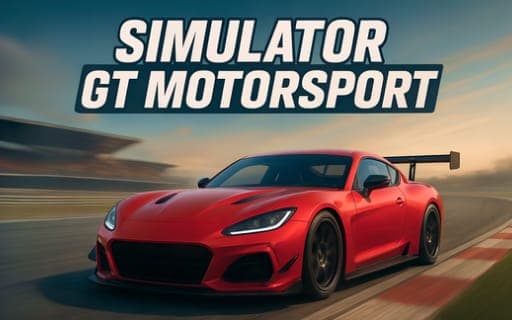
Simulator GT Motorsport
Game by Playgama. The provider may show ads and use cookies. Learn more
- Category
- Racing
- Platform
- Web browser
- Provider
- Playgama
- Price
- Free to play
About Simulator GT Motorsport
Simulator GT Motorsport is a circuit racer built around high-performance GT cars. The tracks take their cues from real-world circuits, and the cars run on a detailed physics model, so braking points and corner speed matter more than simply holding the accelerator down. Weather changes as you play, which means the approach that worked on one lap may need adjusting on the next.
There are two ways to compete. Time trials are a solo hunt for the quickest lap, measured down to the millisecond, while championship mode sets you against rival drivers over a series of races. Tuning options let you set the car up before you head out, and the control layout goes well beyond steering and braking: there are separate keys for shifting up and down, a boost, a horn, a reposition key for getting back on track and a camera switch.
Game provided by Playgama
How to play Simulator GT Motorsport
Objective
Set the fastest times you can in time trials, and beat rival drivers across the races of championship mode.
Controls
Desktop
- Arrow keys or WASD: drive and steer
- Space: brake
- Shift: boost
- E: shift up a gear
- Q: shift down a gear
- R: reposition the car
- H: sound the horn
- C: change camera
Getting started
- Pick time trials if you want to learn a circuit alone, or championship mode to race rivals over several events.
- Look through the tuning options before the start, since the car setup carries into every lap you drive.
- Drive with the arrow keys or WASD and brake with Space, learning where each corner on the circuit needs you to slow down.
- Change gears yourself with E to go up and Q to go down, and press Shift when you want a boost.
- If you spin off or get stuck, press R to reposition the car and carry on with the lap.
Tips
- Weather changes during play, so be ready to brake earlier and adjust your lines when conditions shift partway through a session.
- Time trials are decided by milliseconds, so save the Shift boost for long straights rather than spending it into a corner.
- R repositions the car, so use it when a spin or crash leaves you stuck instead of losing time trying to drive out.
- Try each camera view on C early on and stick with the one that lets you judge braking points most clearly.
Play in your browser. No download needed.
Simulator GT Motorsport FAQ
Does Simulator GT Motorsport use manual gears?
Gear changes have their own keys: E shifts up and Q shifts down. The rest of the layout covers the arrow keys or WASD for driving, Space to brake, Shift to boost, R to reposition, H for the horn and C for the camera.
What is championship mode in Simulator GT Motorsport?
It is the competitive path where you race head-to-head against rival drivers across several races. The other option, time trials, drops the rivals and has you chasing the quickest possible lap on a circuit.
Is there car tuning in Simulator GT Motorsport?
Yes, customizable tuning is part of the game, and setting the car up before a race matters as much as how you drive it. Add the changing weather, and each session can call for a slightly different approach.