
Crime and Vice City Police
Free to play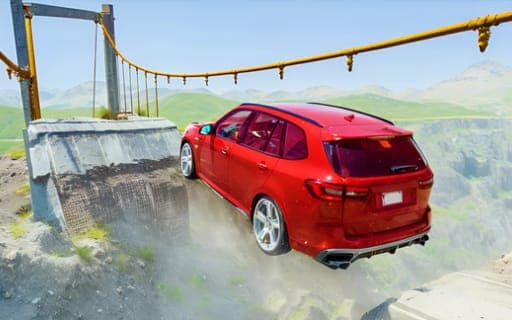
Crime and Vice City Police
Game by Playgama. The provider may show ads and use cookies. Learn more
- Category
- Racing
- Platform
- Web browser
- Provider
- Playgama
- Price
- Free to play
About Crime and Vice City Police
Crime and Vice City Police is a driving sandbox set in an open city where wrecking cars is the point. Traffic fills the highway alongside police vehicles, and every car you meet can be broken. The physics deform bodies completely on impact, so the shape of the damage depends on how fast you were going and where you hit. Press one key and time slows down, letting you set up a crash test and watch the damage unfold at a fraction of the speed.
The map spreads across several locations: urban streets, hills and dedicated crash test tracks. You can swap to a different car at the press of a key, put your current one through the tuning system, and reset or restore it with single keys when a wreck leaves it undrivable. Nitro adds speed for heavier impacts and the camera can be changed for a better view. A multiplayer mode lets you share the city with other players.
Game provided by Playgama
How to play Crime and Vice City Police
Objective
No fixed goal is set: drive the city, crash into traffic, tune and swap cars, and use slow motion to study how each vehicle deforms in a collision.
Controls
Desktop
- W and S: drive forward and backward
- A and D: turn left and right
- Space bar: handbrake
- Shift: nitro
- C: change camera
- R: reset the car
- K: restore the car
- B: slow down time
- N: switch car
- Tab or Esc: pause menu
Mobile
- In-game interface: drive and use the car functions on a phone
Getting started
- Start in the urban city and drive with W, A, S and D to get used to how the car grips and turns.
- Pick a target in the highway traffic, build speed with Shift for nitro, and drive into it to see the deformation.
- Press B just before an impact to slow down time and watch the collision play out.
- After a heavy wreck, press K to restore the car or R to reset it, then carry on driving.
- Press N to swap cars, try the tuning system, and head out to the hills and crash test tracks.
Tips
- Slow motion on B works best if you trigger it a moment before contact, so line up the crash first and then press the key.
- Compare the same crash with different cars by switching with N, and watch how the damage changes from one body to the next.
- Use the crash test tracks for planned collisions and the city highway for messier ones with traffic that can be broken.
- Nitro on Shift gives the extra speed that makes collisions more violent, so save it for the last stretch before an impact.
Play in your browser. No download needed.
Crime and Vice City Police FAQ
Does Crime and Vice City Police have online multiplayer?
Yes. An online multiplayer mode lets you drive around the same city with other players, alongside the regular traffic and the police cars that already fill its roads.
What does the B key do?
It slows down time. That turns any collision into a slow-motion crash test, so you can see the full deformation of a car as it hits traffic or another vehicle.
Which locations can you drive in?
Three kinds: the urban city, the hills and the crash test tracks. The city highway carries other cars you can break, while the tracks give you room to arrange crashes on purpose.
How do you play on a phone?
Through the in-game interface. Phones use the game's own on-screen layout instead of keys, while computers use W, A, S and D to drive plus single keys for nitro, cameras and slow motion.