
Van Rush!
Free to play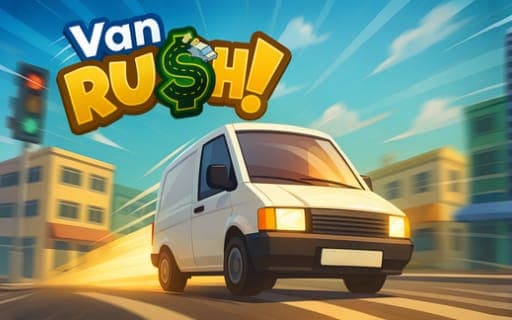
Van Rush!
Game by Playgama. The provider may show ads and use cookies. Learn more
- Category
- Racing
- Platform
- Web browser
- Provider
- Playgama
- Price
- Free to play
About Van Rush!
Van Rush! is a delivery job with a puzzle in the middle. You drive your van onto an orange loading platform and sit there for three seconds, which opens a loading puzzle. Once it is solved and you press Finish, the jobs appear in the deliveries menu, and accepting one puts a green circle on the map where the package has to go. At the drop-off you take the parcel out of the back of the van and hand it over.
Every delivery pays, and the money goes on whatever the offers menu has available. Several keys open the screens you need on the road: a big map, the offers menu, the deliveries list and a pause key. Because jobs are picked with the cursor while the van is driven with the keys, C hides or shows the cursor so you can flip between the two quickly. Fullscreen is the recommended way to play.
Game provided by Playgama
How to play Van Rush!
Objective
Load packages through the puzzle at the orange platform, accept deliveries and bring each one to its green circle, earning money to spend on offers.
Controls
Desktop
- W, A, S, D: move and drive the van
- Space: brake
- E: take a package from the van, or deliver it
- M: open or close the big map
- O: open or close the offers menu
- Tab: open or close the deliveries menu
- C: show or hide the cursor
- P: pause
- Click: pick a delivery in the deliveries menu to accept it
Getting started
- Switch to fullscreen if you can, then drive the van with W, A, S, D onto the orange platform and wait three seconds.
- Solve the loading puzzle that opens, then press Finish to send the loaded jobs to the deliveries menu.
- Open that menu with Tab if it is closed and click a delivery to take it; press C first if the cursor is hidden.
- Find the green circle that appears on the map, opening the big map with M if you need to see the whole route.
- Park at the circle, press E to take the package from the back of the van, and press E again to deliver it.
Tips
- Use C as a quick toggle: keep the cursor hidden while you drive and bring it back only when you need to click a job.
- Brake with Space as you reach the orange platform so the van stops on it, since the puzzle needs three seconds parked there.
- Open the offers menu with O after a few deliveries, because that is where the money you have earned gets spent.
- The green circle marks the exact drop-off point, so keep the big map on M handy when a job sends you somewhere new.
Play in your browser. No download needed.
Van Rush! FAQ
How does the loading puzzle in Van Rush! start?
Drive onto the orange platform and stay there for three seconds. The puzzle then opens. When you complete it and press Finish, the deliveries you loaded show up in the deliveries menu, ready to accept with a click.
What is the C key for in Van Rush!?
C changes whether the cursor is visible. Showing it lets you click deliveries and menu options, and hiding it keeps it out of the way while you steer, which makes switching between choosing an order and driving faster.
Where does the money from deliveries go?
Completed deliveries earn money, and it is spent on offers. Press O to open or close the offers menu and see what is available. Tab opens the deliveries menu and M opens the big map.
How do you hand over a package in Van Rush!?
Drive to the green circle on the map, take the package from the back of the van with E, and bring it to the marked spot, where E delivers it. W, A, S and D cover both moving around and driving.