
Destructive Car Crash Simulator
Free to play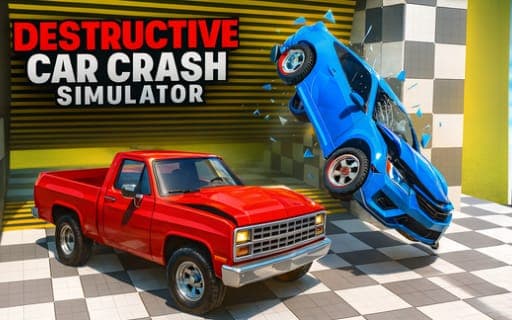
Destructive Car Crash Simulator
Game by Playgama. The provider may show ads and use cookies. Learn more
- Category
- Racing
- Platform
- Web browser
- Provider
- Playgama
- Price
- Free to play
About Destructive Car Crash Simulator
Destructive Car Crash Simulator is a sandbox built around breaking cars. Every vehicle can be dented, bent and torn apart, and a realistic deformation system works out what each impact does to the body, so the damage follows from how and where you hit. You pick a car and a map, drive around, and find out what happens when it meets a wall, another car or one of the heavy props.
Props do much of the work. Cannons, catapults, hummers and presses are spread across the maps, each one a different way to wreck a car. Ramming a police car starts a chase, with the police hunting you down afterward, and crash tests let you sit back and watch a car's destruction play out. Different maps and cars keep the experiments going, and when a car is too wrecked to drive, one key restores it and another swaps to a new one.
Game provided by Playgama
How to play Destructive Car Crash Simulator
Objective
Explore what each map, prop and collision does to the cars, from police chases you start yourself to crash tests and heavy machinery.
Controls
Desktop
- WASD: drive
- Spacebar: handbrake
- Shift: nitro
- C: change camera
- R: reset the car
- K: restore the car
- N: switch to another car
- Tab or Escape: pause menu
Mobile
- In-game interface: controls the car on mobile devices
Getting started
- Choose a map and a car, then drive off with WASD to get a feel for how the car handles.
- Look for the crashing props, such as cannons, catapults, hummers and presses, and drive your car into their path.
- Ram a police car if you want a chase; once hit, it will start hunting you across the map.
- Use Shift for nitro to build speed before a big impact, and the spacebar handbrake to swing the car around.
- When the car is badly damaged, press K to restore it, R to reset it or N to switch to another car.
Tips
- Press C to change the camera after a crash, so you can see the deformation from a clearer angle.
- Hitting a police car starts a chase, so only ram one when you are ready to be hunted while you experiment.
- K restores a wrecked car while N switches to a different one, so you can repeat the same test on a fresh body or compare models.
- The deformation system responds to every impact, so try the same crash at different speeds with and without nitro to see how the damage changes.
Play in your browser. No download needed.
Destructive Car Crash Simulator FAQ
What happens if you hit a police car?
It starts hunting you. Ramming a police car is how a chase begins in Destructive Car Crash Simulator, adding a pursuer to the sandbox. Use nitro on Shift and the spacebar handbrake to stay ahead or to set up your next crash.
How do you fix or change your car?
Press K to restore the car after damage, R to reset it and N to switch to a different car. Tab or Escape opens the pause menu, and C changes the camera view.
Does Destructive Car Crash Simulator work on mobile devices?
Yes, mobile devices use the in-game interface for controls instead of keys. On a computer, WASD drives, the spacebar works the handbrake and Shift fires nitro.
What crashing props can you use?
The maps hold cannons, catapults, hummers and presses, among other props. Each is a different way to wreck a car, and the realistic damage system shows how the body bends and breaks after every hit.