
TRAFFIC Rush Online
Free to play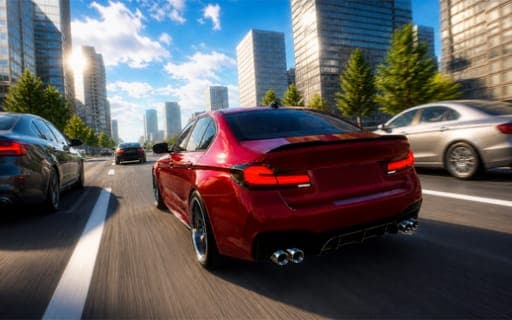
TRAFFIC Rush Online
Game by Playgama. The provider may show ads and use cookies. Learn more
- Category
- Racing
- Platform
- Web browser
- Provider
- Playgama
- Price
- Free to play
About TRAFFIC Rush Online
TRAFFIC Rush Online sets a car loose on the busy roads of a large city and measures you by distance. Each run is a stretch of highway packed with moving vehicles, and your task is to change lanes and manage speed well enough to avoid a crash. The longer you keep going, the more money the run pays out, and a new distance record is always the target. Responsive physics and several camera views help you judge the gaps between cars.
Three modes shape how you spend your time. One puts you on the road with other players in real time, where you can invite friends or meet strangers. Another opens the whole city for unrestricted exploring with no traffic goal, and Traffic mode focuses on dodging cars to collect extra gold. Money and levels feed a growing garage: improve the car you drive, buy new vehicles, and change paint colors, wheels and exterior parts.
Game provided by Playgama
How to play TRAFFIC Rush Online
Objective
Drive as far along the highway as you can without hitting other cars, beat your distance record, and turn the money from each run into upgrades and new vehicles.
Controls
Desktop
- WASD or arrow keys: steer and control speed
- C: change the camera view
- Space bar: handbrake
Mobile
- On-screen buttons or steering wheel: drive the car
- Game settings: switch between the two control layouts
Getting started
- Pick one of the three modes; Traffic mode is the one built around dodging cars for gold and stretching your distance.
- Press C during a drive to cycle the camera views and settle on the one that shows the lanes ahead most clearly.
- On a phone, open the game settings and choose either the on-screen buttons or the steering wheel, whichever feels steadier.
- Change lanes only when the next lane has a clear gap, and ease off the speed when traffic bunches up ahead.
- After a crash, spend the money earned on car upgrades or a new vehicle, then head out again to beat the record.
Tips
- Distance is what pays, so a steady run that lasts longer earns more than a fast one that ends early in a wreck.
- Keep the handbrake on the space bar for sudden stops when a gap closes in front of you, rather than braking hard every time traffic slows.
- Use the unrestricted city mode to learn how the car handles before trying a record run in Traffic mode.
- Traffic mode pays extra gold for dodging cars, so play it when you are saving up for a specific upgrade or vehicle.
Play in your browser. No download needed.
TRAFFIC Rush Online FAQ
What are the three modes in TRAFFIC Rush Online?
Online, Free Ride and Traffic. Online puts you on the road with other players, including friends you invite. Free Ride lets you roam the city with no restrictions, and Traffic is about dodging cars to earn more gold.
How do you drive on a phone?
With on-screen controls. You can steer with on-screen buttons or an on-screen steering wheel, and the game settings let you change between those two control modes whenever one feels better than the other.
What does the money from a run buy?
Upgrades for your current car and new vehicles for the garage. The farther you drive before crashing, the more money the run earns, and the garage also lets you customize colors, wheels and exterior parts.
Which keys change the view and stop the car quickly?
Press C to change the camera and the space bar for the handbrake. Steering and speed sit on WASD or the arrow keys, so one hand drives while the other reaches C and the space bar.