
Crash Control
Free to play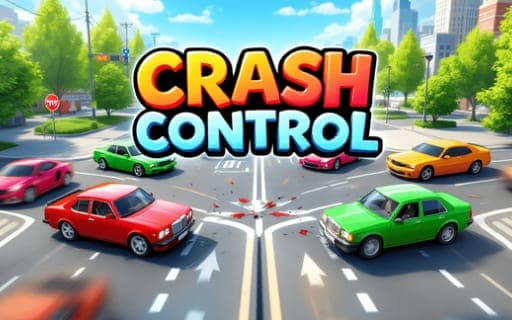
Crash Control
Game by Playgama. The provider may show ads and use cookies. Learn more
- Category
- Racing
- Platform
- Web browser
- Provider
- Playgama
- Price
- Free to play
About Crash Control
Crash Control hands you the job of directing traffic at crowded intersections. Cars roll through the junction on their own, and your only power is to stop one or set it moving again with a tap. With several streams of traffic crossing the same space, every tap is a decision about who goes first and who waits.
Train crossings add the twist. Trains cannot stop, so you cannot treat them like the cars; everything else has to be timed around them, with vehicles held back until the track is clear. Each level asks you to get the traffic through without a single collision, and finishing one unlocks the next, more complicated traffic scenario. The 3D graphics are clean, and because the whole game runs on one action, the challenge lies entirely in timing and planning rather than in handling a car.
Game provided by Playgama
How to play Crash Control
Objective
Guide every vehicle safely through the intersections and train crossings by stopping and starting cars at the right moments, so no collision happens.
Controls
Mobile
- Tap a car: stop it, or start it again if it is waiting
Getting started
- Look over the level first: find where the roads cross and whether a train track runs through the junction.
- Tap a car heading into a busy crossing to stop it and let the cross traffic pass.
- Tap the waiting car again once the way is clear so it moves on through the intersection.
- Hold cars back from the train crossing until the train has gone by, since trains cannot stop.
- Get the traffic through without a crash to complete the level and unlock a harder scenario.
Tips
- Trains never stop, so treat their path as fixed and arrange every car around it rather than hoping for a gap.
- Stop cars early rather than at the last moment; a car halted well before the junction gives the cross traffic more room.
- A stopped car waits for your next tap, so remember to release it once the crossing is clear instead of leaving it parked.
- Complexity grows from level to level, so scan every road before each tap instead of focusing on a single car.
Play in your browser. No download needed.
Crash Control FAQ
How do you control traffic in Crash Control?
Tap a car to stop it, and tap it again to start it moving. That single action is all you have, so the skill lies in choosing which car to halt and when to let it go.
Can trains be stopped?
No, trains cannot stop. Every car near a train crossing has to be held or released so it is clear of the track when the train arrives, which makes those crossings the trickiest part of a level.
How do you unlock new levels in Crash Control?
Complete a level by getting the traffic through without collisions, and the next, more challenging traffic scenario opens. Later levels pile on more vehicles and more demanding timing.