
Dronner 3D
Free to play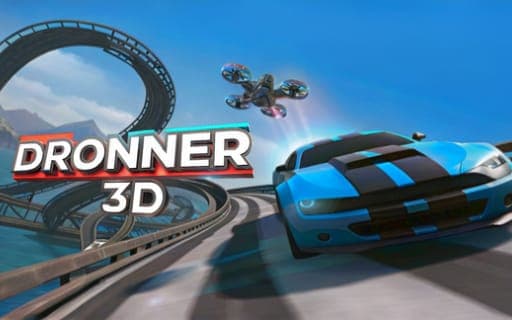
Dronner 3D
Game by Playgama. The provider may show ads and use cookies. Learn more
- Category
- Racing
- Platform
- Web browser
- Provider
- Playgama
- Price
- Free to play
About Dronner 3D
Dronner 3D is a racing game with a twist in the vehicle itself: your car can turn into a quadcopter and back at the press of a key. On the ground it drives like a car, and in the air it adds climbing and descending to the usual four directions. The tracks reward switching between the two forms as you collect the points and battery charges placed along each route.
Two readouts need watching throughout: damage status and battery charge. Collisions hurt, and they are especially dangerous while you are flying, so a careless crash in quadcopter mode can cost a lot. As you progress through levels you can increase battery capacity and repair the damage you have collected, and every level ends with a statistics table that shows how well you did.
Game provided by Playgama
How to play Dronner 3D
Objective
Race through each level as car and quadcopter, collecting points and battery charges while avoiding collisions and keeping an eye on damage and battery levels.
Controls
Desktop
- W or Up Arrow: move forward
- S or Down Arrow: move back
- A or Left Arrow: move left
- D or Right Arrow: move right
- Spacebar: turn the car into a quadcopter and back
- Q and E: fly upward and downward in quadcopter mode
Getting started
- Start the first level on the ground, heading for the first points on the track using the arrow keys or WASD.
- Press the Spacebar to turn the car into a quadcopter when the route calls for flying.
- In the air, keep using the same direction keys, with Q to climb and E to descend.
- Collect battery charges as you go and watch the battery and damage readouts so neither gets critical.
- Check the statistics table at the end of the level, then upgrade battery capacity or repair damage before the next one.
Tips
- Collisions are especially dangerous in quadcopter mode, so switch back to the car with the Spacebar when a crowded section makes a crash likely.
- Route through battery charges whenever your charge is running low rather than chasing only points, since the battery level needs constant attention.
- Spend early upgrades on battery capacity; a bigger battery gives you more room to fly before you need the next charge.
- Use the end-of-level statistics table to see where you lost points or took damage, then adjust your route on the next attempt.
Play in your browser. No download needed.
Dronner 3D FAQ
How do you turn into a quadcopter in Dronner 3D?
Press the Spacebar to transform the car into a quadcopter, and press it again to switch back. In the air the arrow keys or WASD move you, Q takes you upward and E takes you downward.
What should you keep an eye on in Dronner 3D?
Your damage status and your battery charge level. Collisions add damage and are especially dangerous in quadcopter mode, while battery charges collected on the track keep you going. Between levels you can repair damage and increase battery capacity.
What happens at the end of a level in Dronner 3D?
A statistics table appears so you can review your achievements for that level. From there you move on, upgrading the vehicle by increasing battery capacity and repairing damage as you progress.