
Parking Master: Urban Challenges
Free to play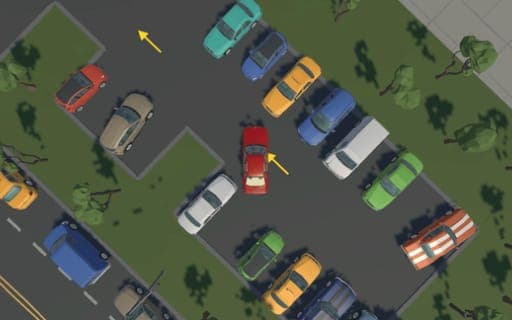
Parking Master: Urban Challenges
Game by Playgama. The provider may show ads and use cookies. Learn more
- Category
- Racing
- Platform
- Web browser
- Provider
- Playgama
- Price
- Free to play
About Parking Master: Urban Challenges
Parking Master: Urban Challenges is a city parking simulation that values precision over high scores or combat. Each level drops you somewhere in a busy urban area with a car to move and a parking space to reach. Directional arrows lead you through the streets to the right spot, and your task is to slide the car into it cleanly, without an accident, and as quickly as you can manage.
Levels run in a strict sequence: you have to clear one to open the next, and the game saves your progress automatically each time a level is finished. The vehicles behave in a lifelike way, so tight corners and narrow gaps need patience. A handbrake helps with sharp turns, a camera key switches your view for awkward parking, and a menu key opens the game menu whenever you need it.
Game provided by Playgama
How to play Parking Master: Urban Challenges
Objective
Follow the arrows to the designated parking area in each level and park there without any collision, as quickly as possible, to unlock the level that follows.
Controls
Desktop
- WASD or arrow keys: drive and turn the car
- Space bar: handbrake
- M: switch camera
- E or ~: open the game menu
Getting started
- Start the first level and look for the directional arrows that point toward the parking space.
- Drive along using WASD or the arrow keys, following the arrows through the streets at a steady pace.
- Press M to switch the camera when you reach the spot, so you can judge the gap on each side.
- Ease the car into the designated area without hitting anything, saving the space bar handbrake for tight turns.
- Once parked, the level saves automatically and the following one unlocks; press E or ~ whenever you need the menu.
Tips
- An accident ruins the clean park the level asks for, so slow down near parked cars and corners even though speed also counts.
- Use the camera key M before the final approach, since a different view shows the edges of the target space more clearly.
- Progress saves only when a level is completed, so finish the current one before stopping a session.
- The space bar handbrake helps swing the car around tight urban corners, but release it early so the car does not slide into an obstacle.
Play in your browser. No download needed.
Parking Master: Urban Challenges FAQ
How do you find the parking space in Parking Master: Urban Challenges?
Follow the arrows. Each level marks the route through the city with directional arrows that lead to the designated parking area, so you never need to search the streets blindly.
Is progress saved between sessions?
Yes. The game saves automatically every time you complete a level. Levels unlock in order, so you need to finish the current one before the one after it becomes available.
What are the controls?
WASD or the arrow keys move and turn the car, the space bar works the handbrake, M switches the camera and E or the ~ key opens the game menu.
Does speed matter?
Yes, but less than a clean park. The task is to reach the parking area as quickly as possible without getting into an accident, so a careful approach that avoids collisions comes first.