
Fun Town Parking
Free to play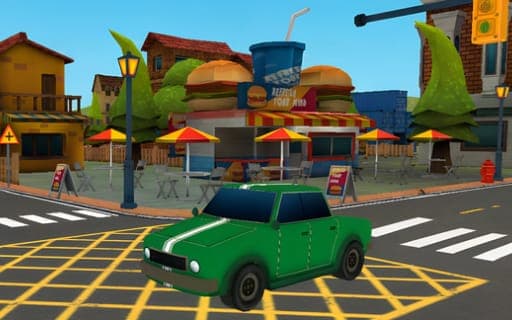
Fun Town Parking
Game by Playgama. The provider may show ads and use cookies. Learn more
- Category
- Racing
- Platform
- Web browser
- Provider
- Playgama
- Price
- Free to play
About Fun Town Parking
Fun Town Parking is a parking simulation in which every level is a short drive with a tight finish. You steer the car along narrow paths and around obstacles, and the level is done once the car is sitting in its designated parking spot. The pressure comes from the layout itself and from keeping the car clear of everything around it.
Two details shape the driving. First, the car has gears, and shifting them is how you choose between moving forward and moving backward, so backing out of a tight corner becomes a deliberate step. Second, a camera toggle lets you change the view whenever the current angle hides a corner or an obstacle. The levels grow harder as you advance, asking for steadier and more precise maneuvering at each stage, and a reset key is always on hand when an attempt goes wrong.
Game provided by Playgama
How to play Fun Town Parking
Objective
Guide the car through each level's paths without hitting obstacles and stop it in the designated parking spot to clear the level.
Controls
Desktop
- W, A, S, D or arrow keys: drive and steer the car
- Shift: change gear to go forward or backward
- C: switch the camera view
- M: mute or unmute the sound
- P: pause
- R: reset the game
Getting started
- Look at where the parking spot is and which obstacles sit between the car and the space before you move.
- Drive and steer with W, A, S and D or the arrow keys, keeping a slow pace through the narrow sections.
- Press Shift to change gear when you need to back up, then shift again to drive forward.
- Press C to switch the camera if the current view hides an obstacle or the edges of the space.
- Ease the car fully into the parking spot to finish the level, or press R to reset if the approach goes badly.
Tips
- Check the gear before accelerating; shifting decides whether the car rolls forward or backward, and pulling away in the wrong one is an easy way to clip something.
- Switch the camera with C on the tightest turns, since another angle shows how much room the car really has on each side.
- Difficulty climbs as you advance, so use the early levels to practise combining gear changes and camera switches before the tighter paths arrive.
- Plan the order of gear changes before a three-point turn; deciding halfway through usually leaves the car angled awkwardly against an obstacle.
Play in your browser. No download needed.
Fun Town Parking FAQ
How do you reverse in Fun Town Parking?
Change gear with the Shift key. Shifting switches the car between moving forward and moving backward, and you then drive with W, A, S and D or the arrow keys as usual.
Can you change the camera angle?
Yes. Press C to toggle the camera view. A different angle helps on tight paths where the default view hides an obstacle or makes the space around the car hard to judge.
What do the M, P and R keys do?
M mutes or unmutes the sound, P pauses the game and R resets it. Resetting is the quickest way to start over when the car ends up badly placed.
Does Fun Town Parking get harder?
Yes, the difficulty rises as you advance through the levels. Paths become trickier and obstacles demand more precise steering, so careful habits from the early levels carry straight into the later ones.