
Smash & Speed
Free to play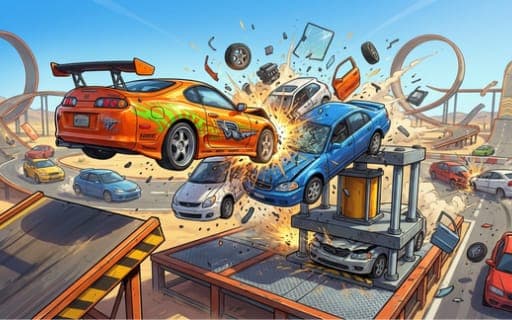
Smash & Speed
Game by Playgama. The provider may show ads and use cookies. Learn more
- Category
- Racing
- Platform
- Web browser
- Provider
- Playgama
- Price
- Free to play
About Smash & Speed
Smash & Speed has no races to win and no timers to beat. You pick a vehicle, drop onto one of three maps and wreck it in whatever way appeals: off a mega ramp, under a giant press or into a spike trap. Parts fly loose, wheels spin away and bodies deform fully on impact, and moving traffic on the roads gives you the chance to start a pile-up.
The maps are Snow Plains, Traffic Zones and the Destructive Test Site, each scattered with interactive hazards. Some maps also have floating stars that raise your score multiplier when you grab them mid-stunt. The garage covers paint, decals and body kits, and wheel and suspension settings change the physics rather than only the look, so a tuned car can bounce, flip or hold a line very differently. Repairs and fresh vehicles are a single key away.
Game provided by Playgama
How to play Smash & Speed
Objective
Drive, jump and crash across the three maps, wreck cars on presses, ramps and traps, collect stars for score multipliers and tune your car to change how it behaves.
Controls
Desktop
- WASD: drive
- Shift: boost
- Space: handbrake for sharp drifts
- B: slow motion
- C: change camera
- R: repair the car
- N: spawn a new vehicle
- Tab: pause
Mobile
- Tap on-screen buttons: all controls
Getting started
- Choose a vehicle and one of the three maps; the Destructive Test Site is packed with presses and traps.
- Get rolling with WASD, or the phone's on-screen buttons, and make for the nearest ramp or press.
- Press Shift for boost before a ramp to get more airtime, then press B in midair for slow motion.
- Grab any floating stars you see during a stunt to raise your score multiplier.
- Press R to repair the wreck or N to spawn a fresh vehicle, then visit the garage to change paint, decals and suspension.
Tips
- Boosting just before a ramp maximizes airtime, which gives slow motion more to show as parts detach in flight.
- Lowering the suspension makes the car bouncy and prone to flips, while a tight setup suits straight-line speed, so tune for the run you want.
- Head for the presses and spike traps rather than the traffic when you want the heaviest damage on each run.
- Use C to settle on a camera angle before a big jump so the crash is framed the way you want when it happens.
Play in your browser. No download needed.
Smash & Speed FAQ
Are there races or timers in Smash & Speed?
No. It is a pure sandbox: there are no races to win and no timers. You drive, jump and crash across three maps, and the only score boost comes from floating stars on some of them.
What do the floating stars do?
They raise your score multiplier. Stars appear on some maps, and collecting them in the middle of a stunt earns higher combo points for the run.
Does customization change how the car drives?
Yes. Paint, decals and body kits change the look, but wheel and suspension adjustments alter the physics, so the same car can become bouncy and flip-prone or tight and fast in a straight line.
Can you play Smash & Speed on a phone?
Yes. Mobile players tap on-screen buttons for all controls, while on a computer WASD drives, Shift boosts, Space works the handbrake and B triggers slow motion.