
Horizon Racer
Free to play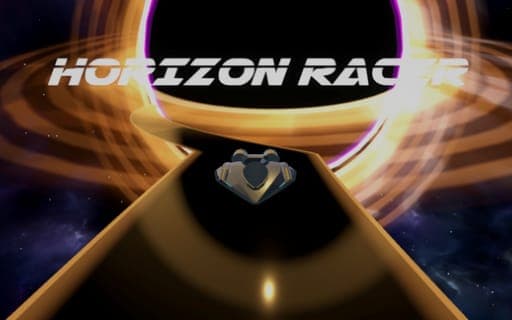
Horizon Racer
Game by Playgama. The provider may show ads and use cookies. Learn more
- Category
- Racing
- Platform
- Web browser
- Provider
- Playgama
- Price
- Free to play
About Horizon Racer
Horizon Racer is a race you cannot win outright. A black hole is chasing you, and there is no escaping it; the only question is how long you can put off the moment it catches up. Your car keeps speeding forward along a track that refuses to behave like a road. It twists through full barrel rolls, climbs the walls and across the ceiling, and throws hills at you at absurd speed, with obstacles to dodge all the way.
Two control styles change how a run feels. TAP mode sticks to lanes, so you hop from one to the next to get around obstacles. STEER mode gives you open movement across the track for more precise lines. On a computer, A and D do the steering, and the game also handles a mouse, touch and controllers. Every run ends up on a global leaderboard, so a friend whose score you have beaten will see it.
Game provided by Playgama
How to play Horizon Racer
Objective
Stay ahead of the black hole for as long as possible by dodging obstacles on a twisting track, and post a score that climbs the global leaderboard.
Controls
Desktop
- A and D: steer left and right
- Mouse or controller: supported as other ways to drive
Mobile
- Touch: drive the car, switching lanes in TAP mode or steering freely in STEER mode
Getting started
- Choose a control style: TAP mode for lane switching, or STEER mode if you want finer control of the car.
- Start the run and remember the black hole is right behind you, so the car never stops moving.
- Steer with A and D on a keyboard, or use touch on a phone, to slip past the first obstacles.
- Stay alert when the track starts rolling and climbing walls, since obstacles keep coming even upside down.
- When the black hole finally catches you, check your place on the global leaderboard and try again.
Tips
- TAP mode limits you to lanes, which makes dodging clear-cut; switch to STEER mode once you want tighter lines between obstacles.
- The track rotates through barrel rolls and ceilings, so trust your position on the track rather than which way is up on screen.
- The black hole cannot be escaped, so every extra second counts; a clean run beats a risky one that ends early.
- If keyboard steering feels jerky, try a controller, since the game supports one alongside the keyboard and mouse.
Play in your browser. No download needed.
Horizon Racer FAQ
Can you escape the black hole in Horizon Racer?
No. The black hole always catches up in the end. The goal is to delay it as long as you can, and the distance you manage becomes your score on the global leaderboard.
What is the difference between TAP mode and STEER mode?
TAP mode has you switch between lanes to dodge obstacles. STEER mode lets you steer the car with more precision across the track. Both suit different players, so try each one.
Which controls does the game support?
On a keyboard, A and D steer. The game is also built to work with a mouse, touch and controllers, so it runs on computers and phones alike.