
Online Car Destruction Simulator 3D
Free to play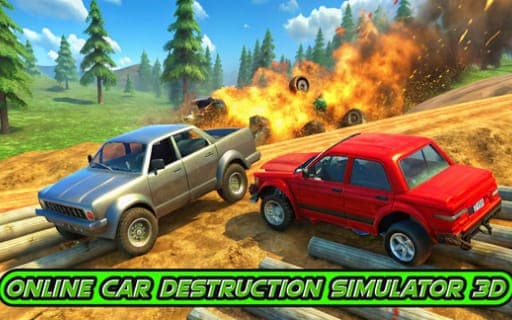
Online Car Destruction Simulator 3D
Game by Playgama. The provider may show ads and use cookies. Learn more
- Category
- Racing
- Platform
- Web browser
- Provider
- Playgama
- Price
- Free to play
About Online Car Destruction Simulator 3D
Online Car Destruction Simulator 3D is a driving sandbox built around crashing. There are no strict objectives: you choose a car, head out, and wreck it however you please. The focus is on realistic collisions, with detailed damage effects showing exactly how each body panel gives way.
A long list of keys turns every crash into something you can stage and repeat. Shift fires nitro for a faster approach, Spacebar pulls the handbrake, and B slows down time so you can watch an impact unfold. Once a car is wrecked, K restores it and R resets it, while N switches to a different vehicle. C cycles through camera views and U detaches the camera from the car. You can play alone or alongside other players in multiplayer, on desktop or on mobile, where the in-game interface takes the place of the keys.
Game provided by Playgama
How to play Online Car Destruction Simulator 3D
Objective
There is no fixed target: drive the cars any way you like and crash them for as much damage as you want, using nitro, slow motion and quick repairs.
Controls
Desktop
- W / S: drive forward or backward
- A / D: turn left or right
- Spacebar: handbrake
- Shift: nitro
- C: change camera
- U: detach the camera from the car
- R: reset car
- K: restore car
- B: slow down time
- N: switch car
- TAB or Escape: pause menu
Mobile
- In-game interface: drive and use the car functions on screen
Getting started
- Pick a car and drive off with W, steering with A and D and reversing with S when you need room.
- Press Shift for a nitro burst and point the car at something solid to see the damage model at work.
- Press B just before impact to slow down time and watch the crash unfold in detail.
- Use K to restore the wrecked car or R to reset it, then try the same crash from another angle with C.
- Press N to switch to a different car, and open the pause menu with TAB or Escape when you need a break.
Tips
- Combine Shift and B: arrive at high speed on nitro, then slow time right before contact to see each piece of damage form.
- K restores a damaged car on the spot, so you can repeat a favorite crash many times without hunting for a new vehicle.
- Switch to the detached camera with U before a big crash, so you can watch it from outside the car at a different angle.
Play in your browser. No download needed.
Online Car Destruction Simulator 3D FAQ
Is there a goal in Online Car Destruction Simulator 3D?
No strict one. The idea is to drive the cars any way you like and wreck them for as much destruction as you want. Slow motion, nitro and instant car repair exist to help you stage the crashes you have in mind.
Can you play Online Car Destruction Simulator 3D on a phone?
Yes. It runs on mobile as well as desktop with no download, and on a phone you use the in-game interface instead of the keys. Desktop players drive with W, A, S and D and use extra keys for nitro, cameras and repairs.
How do you fix a wrecked car?
Press K to restore the car or R to reset it, and you can keep crashing straight away. If you want a different vehicle instead, N switches cars. The pause menu sits on TAB or Escape.
Does the game have multiplayer?
Yes, you can crash cars solo or in multiplayer with other players online. The sandbox works the same either way: no strict objectives, just driving and causing destruction with the cars available.