
Build Your Dream Car
Free to play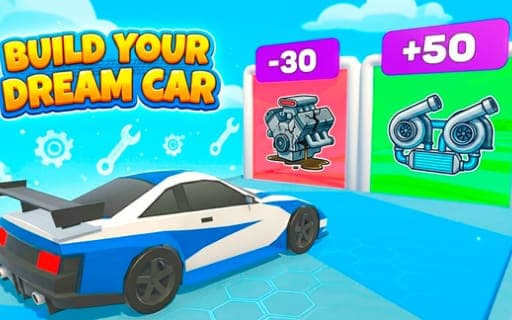
Build Your Dream Car
Game by Playgama. The provider may show ads and use cookies. Learn more
- Category
- Racing
- Platform
- Web browser
- Provider
- Playgama
- Price
- Free to play
About Build Your Dream Car
Build Your Dream Car mixes car building with drag racing. You start with a rough build and improve it over time, upgrading the engine and the nitro until the car can hold its own against the competition. Each race is a straight test of timing: shifting at exactly the right moment is the key to winning, and poor timing leaves speed on the table.
Racing and upgrading go hand in hand. Better engines and nitro make drag races easier to win, and the long-term aim is to dominate the streets with a car you built up yourself. Controls are kept light so your attention stays on building and racing: the arrow keys and mouse on a computer, or holding a finger on the screen and sliding left or right on mobile.
Game provided by Playgama
How to play Build Your Dream Car
Objective
Upgrade your car's engine and nitro, time every gear shift perfectly and win drag races until your build dominates the streets.
Controls
Desktop
- Arrow keys and mouse: control the car
Mobile
- Press and slide a finger left or right: control the car
Getting started
- Look over your starting car, which begins as a rough build waiting to be improved.
- Line up for a drag race and control the car with the arrow keys and mouse, or by holding and sliding on mobile.
- Shift gears at exactly the right moment as the car accelerates, since shift timing decides drag races.
- Outrun the competition to win, and keep racing on the way to dominating the streets.
- Upgrade the engine and the nitro between races so the car gets quicker each time.
Tips
- Shift timing is the key to winning, so concentrate on hitting each change at the right moment before worrying about anything else.
- Engines and nitro are the parts you upgrade, so improve both; together they turn a rough starting car into one that is ready to race.
- On mobile, keep your finger on the screen throughout the race, since holding and sliding left or right is how the car is controlled.
Play in your browser. No download needed.
Build Your Dream Car FAQ
What are the phone controls in Build Your Dream Car?
Keep a finger pressed down and move it left or right to steer. On a computer, the arrow keys and the mouse do the job. The controls are kept light so you can concentrate on building, upgrading and racing.
What can you upgrade in Build Your Dream Car?
The engine and the nitro are the upgrades the game centers on. Improving them is how a rough starting build becomes a race-ready machine able to outrun the competition in drag races.
What wins a drag race in Build Your Dream Car?
Shifting at exactly the right moment. Timing your gear changes correctly is described as the key to winning, and a well-upgraded engine and nitro help you make the most of each well-timed shift.