
Car Destruction King
Free to play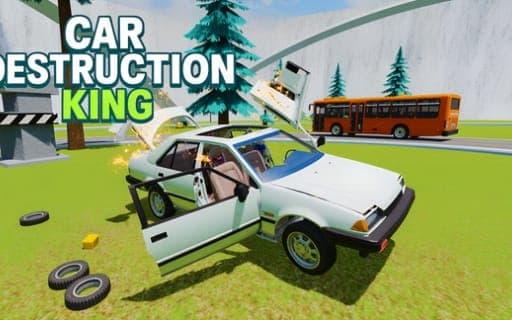
Car Destruction King
Game by Playgama. The provider may show ads and use cookies. Learn more
- Category
- Racing
- Platform
- Web browser
- Provider
- Playgama
- Price
- Free to play
About Car Destruction King
Car Destruction King turns careful driving on its head: the point is to crash as spectacularly as you can. Pick a map and a mode, choose a vehicle anywhere from a quick car to a bus or truck, then launch it off ramps, through loops and into rotating hammers, presses and catapults. Rewards come from the damage itself, and slow motion plus several camera angles let you study every crumpled panel.
Three maps set the scene. The City is full of traffic and buildings, with police ready to chase reckless drivers; Nature mixes hills, trees, rocks and cliffs with traps and ramps; Test Drive is an amusement park built entirely for stunts and wrecks. Sandbox mode lets you roam a map freely and plan your own routes, while Race mode asks you to beat five opponents. Each vehicle can be tuned down to its bumpers, rims, camber, suspension height and wheel size.
Game provided by Playgama
How to play Car Destruction King
Objective
Wreck vehicles as dramatically as possible on each map's traps and ramps to earn rewards, and win races against five rivals to set new records.
Controls
Desktop
- WASD: drive
- Spacebar: handbrake
- Shift: nitro
- C: change camera
- B: slow motion
- R: flip or reset the car
- K: repair the car
- N: switch car
- Tab or Esc: pause menu
Mobile
- Virtual buttons: drive and trigger actions through the game interface
Getting started
- Choose a map first, City, Nature or Test Drive, and then pick Sandbox for open roaming or Race for a contest.
- Select a vehicle, from speedy cars to buses and trucks, and adjust its color, rims or suspension if you like.
- Drive with WASD, press Shift for nitro, and aim for a ramp, hammer or press to set up your first crash.
- Press B for slow motion as the impact hits, and use C to switch camera angles on the wreck.
- Press K to restore the battered car or R to reset it, then line up the following stunt.
Tips
- Test Drive packs the most crash tools into one place; the whole amusement park is built around loops, ramps, presses and hammers.
- Play with the sound on, since each vehicle has its own engine character and crashes feel noticeably harsher with audio.
- In the City, reckless driving draws police who are eager to chase you, so plan an escape route or lean into the pursuit.
- Use K to repair rather than switching vehicles when you want to retry a crash with the same carefully tuned car.
Play in your browser. No download needed.
Car Destruction King FAQ
Which maps are in Car Destruction King?
There are three: City, with traffic, buildings and police; Nature, with hills, cliffs, rocks, traps and ramps; and Test Drive, an amusement park full of loops, ramps, presses and hammers.
How is Race mode different from Sandbox?
Race mode is about beating five opponents to the finish and setting records. Sandbox drops that goal entirely, so you can explore a map freely and plan your own routes and crashes.
Can you play Car Destruction King on a phone?
Yes. On mobile devices the controls appear as virtual buttons in the game interface, standing in for the keys a computer uses, such as WASD for driving and Spacebar for the handbrake.