
A deadly car crash
Free to play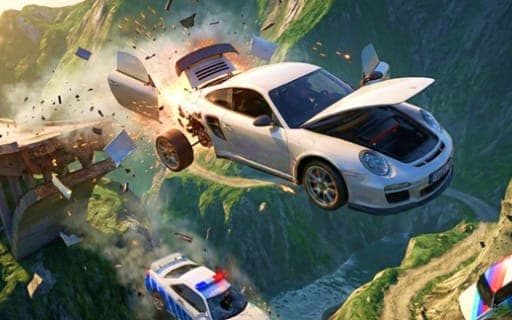
A deadly car crash
Game by Playgama. The provider may show ads and use cookies. Learn more
- Category
- Racing
- Platform
- Web browser
- Provider
- Playgama
- Price
- Free to play
About A deadly car crash
A deadly car crash is an open-world sandbox about speed and wreckage. Cars crumple realistically, and a hard enough hit can tear off doors, hoods and wheels. There is no single path through it: you drive, crash and tune however you like, whether that means heading for the crash test areas, racing other cars along the roads or launching off jumps.
The headline challenge is the deadly descent, which by the game's own count only 1% of players have ever finished. Away from it, you can build a car of your own: repaint the body, swap parts, and resize the wheels or move where they sit. Extra keys keep the experiments going: one repairs the car, one puts it back in service, one swaps to a different car, and B slows down time in the middle of the action.
Game provided by Playgama
How to play A deadly car crash
Objective
Drive, crash and tune in the open world as you please, and take on the deadly descent that only a tiny share of players have ever completed.
Controls
Desktop
- WASD: steer the car
- Space: brake hard
- Shift: nitro
- C: switch camera
- N: change car
- R: put the car back in service
- K: repair the car
- B: slow down time
- Tab: pause
Mobile
- On-screen buttons: all car controls on mobile
Getting started
- Start by building your car: pick a body color, change the parts and set the size and placement of the wheels.
- Drive into the open world with WASD, using Shift for nitro and Space to brake hard.
- Find a crash test area or meet other cars on the road and set up your first big collision.
- Press B to slow down time during an impact, then C to switch camera and see the damage.
- Repair with K or put the car back in service with R, then head for the deadly descent.
Tips
- B slows down time, which gives you longer to steer through a jump or collision as well as to watch doors and wheels come off.
- Before trying the deadly descent, repair the car with K so you start with every part still attached.
- Wheel size and placement are adjustable, so experiment with different setups in the crash test areas before a big run.
- N changes the car, so try several builds on the same crash to compare how each one breaks apart.
Play in your browser. No download needed.
A deadly car crash FAQ
What is the deadly descent?
It is the headline challenge of A deadly car crash, a run that, by the game's count, only 1% of players finish. Repair the car with K before you start and use Space to brake hard on the way down.
How do you customize your car?
Repaint the body, change its parts, and set how big the wheels are and where they are mounted to make a unique car. Then take it out on the roads and into the crash test areas to see how it holds up.
Does A deadly car crash work on mobile?
Yes. On mobile, buttons on the screen handle the controls. On a computer, WASD steers, Space brakes hard, Shift fires nitro, C switches camera and B slows down time.