
Bus Parking
Free to play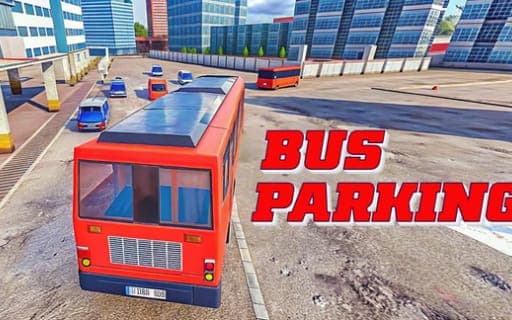
Bus Parking
Game by Playgama. The provider may show ads and use cookies. Learn more
- Category
- Racing
- Platform
- Web browser
- Provider
- Playgama
- Price
- Free to play
About Bus Parking
Bus Parking is a parking simulator built around one awkward vehicle. Every course puts obstacles between you and a designated parking spot, and a time limit runs while you work your way there. Getting the bus into the spot is only half the task, because the game wants it done both quickly and precisely, so each attempt is a trade between caution and speed.
The control set goes further than steering. A gear key handles shifting, a camera key changes the viewing angle, and a separate key opens an auxiliary mode, while Esc brings up the menu screen. On phones the bus is driven with on-screen buttons or an on-screen steering wheel instead. The courses are meant to suit every skill level, with tough layouts reserved for anyone aiming to be called a parking master.
Game provided by Playgama
How to play Bus Parking
Objective
Drive the bus through each obstacle-filled course and bring it to rest in the designated parking spot before the time limit expires, as quickly and accurately as you can.
Controls
Desktop
- WASD: drive and steer the bus
- R: change gear
- C: change the camera angle
- H: open auxiliary mode
- Esc: open the menu screen
Mobile
- On-screen buttons: operate the bus
- On-screen steering wheel: steer the bus
Getting started
- Start a course and get the bus moving with the WASD keys, or with the on-screen buttons and steering wheel on a phone.
- Check your gear before moving off; R changes it, and C swaps the camera angle if the starting view hides the obstacles ahead.
- Follow the course around the obstacles while keeping an eye on the time limit, since a very slow approach can run the clock out.
- Line the bus up with the designated parking spot and stop it neatly inside to complete the course.
- Press Esc whenever you need the menu screen, and press H if you want to open the auxiliary mode during a drive.
Tips
- Courses combine obstacles with a time limit, so take the first attempt slowly to learn how wide the bus swings, then speed up once the route is familiar.
- Use C to change the camera angle as you approach the spot; a different view makes it easier to judge where the long body of the bus ends.
- On a phone, try both the button controls and the steering wheel early on, then keep whichever gives you finer control in tight gaps.
- Accuracy and speed are both asked for, so a tidy stop inside the spot matters as much as beating the clock across the course.
Play in your browser. No download needed.
Bus Parking FAQ
Can Bus Parking be played on a phone?
Yes. Mobile play uses on-screen controls, with a set of buttons for operating the bus and an on-screen steering wheel for turning it. On a computer the bus runs on the WASD keys, with R, C, H and Esc covering gears, camera, auxiliary mode and the menu.
Is there a time limit in Bus Parking?
Yes, courses run under time limits as well as being packed with obstacles. That means balancing speed against precision: the aim is to reach the designated spot quickly while still parking accurately, without clipping anything on the way.
Is Bus Parking free to play?
Yes, it is a free parking simulator that runs in a web browser. It is pitched at players of every skill level, from people new to driving simulators to those working toward mastering every course.