
Zombie Derby
Free to play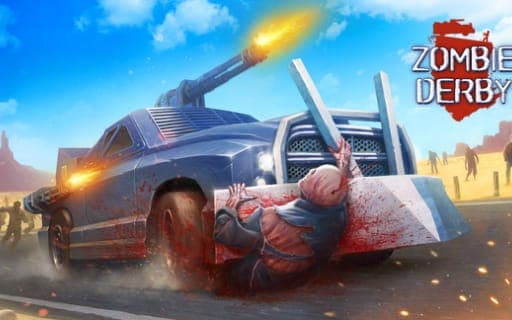
Zombie Derby
Game by Playgama. The provider may show ads and use cookies. Learn more
- Category
- Racing
- Platform
- Web browser
- Provider
- Playgama
- Price
- Free to play
About Zombie Derby
Zombie Derby puts you behind the wheel on a road crowded with the undead, and the plan is to drive straight through them. The real enemy is your fuel gauge. The tank is limited, and once the car stops moving, the zombies close in and you become easy prey, so keeping momentum is what every run comes down to.
The terrain adds its own trouble. Hills and deadly gaps can stall a run unless you arrive with enough speed, and that is where nitro comes in: a boost timed well may be the only thing that carries you over. You also have a gun to fire at what is ahead, and you can tilt the car forward or backward. Accelerating, shooting, boosting and tilting each sit on their own key, so a good run means juggling all four while keeping an eye on the fuel.
Game provided by Playgama
How to play Zombie Derby
Objective
Keep the car moving through the zombie hordes and over every hill and gap, spending fuel and nitro carefully so you never come to a stop.
Controls
Desktop
- W or Up arrow: accelerate
- Spacebar: shoot the gun
- Left Shift or N: use nitro
- A/D or Left/Right arrow: tilt the car forward or backward
Getting started
- Hold W or the Up arrow to get the car rolling and head straight into the first group of zombies.
- Fire the gun with the Spacebar at the undead standing in your path as you drive.
- Watch your fuel as you go, since the tank is limited and stopping leaves you open to the horde.
- Tilt the car with A and D or the Left and Right arrows to adjust its angle as the ground rises and falls.
- Save nitro for a steep hill or a deadly gap, then press Left Shift or N to boost across it.
Tips
- Never let the car come to a full stop; standing still is what turns you into easy prey for the zombies.
- Hold nitro back until a hill or gap actually needs it, because a well-timed boost may be the only way over.
- Keep an eye on fuel before a big climb, as running dry on a slope leaves you stranded among the horde.
- Fire the gun with the Spacebar whenever the road ahead is packed, so the car has a clearer path through the undead.
Play in your browser. No download needed.
Zombie Derby FAQ
What are the controls in Zombie Derby?
Accelerate with W or the Up arrow, shoot the gun with the Spacebar and fire nitro with Left Shift or N. A and D, or the Left and Right arrows, tilt the car forward and backward.
What happens if your car stops in Zombie Derby?
Fuel is limited, and once your car stops moving you become easy prey for the zombies. That is why momentum matters so much: keep driving, plan your boosts and avoid stalling on hills before the tank empties.
When should you use nitro?
Save it for moments when speed alone is not enough, such as a steep hill or a deadly gap. A boost fired at the right time can be the only thing that gets the car across, so wasting it on flat road is risky.