
Rocket Rush
Free to play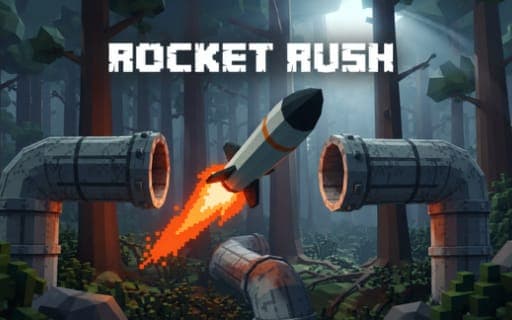
Rocket Rush
Game by Playgama. The provider may show ads and use cookies. Learn more
- Category
- Racing
- Platform
- Web browser
- Provider
- Playgama
- Price
- Free to play
About Rocket Rush
Rocket Rush gives you a single rocket, a fuel gauge and a target somewhere down the route. Each of its 20 handcrafted levels is a flight through forests, between buildings or along industrial tunnels, with obstacles to slip past and fuel cans that stretch your range. Running dry before you arrive ends the attempt, so every detour and every burst of boost has a cost.
Speed is graded as well as survival. A quicker completion time earns more stars, and the credits you gather across runs pay for different rockets and new equipment, such as a parachute you deploy by holding a button. Those purchases are what let you handle the longer, more demanding routes in later levels. The game supports keyboard and mouse, a controller and touch controls, and in all three you can move the camera to look around the route as you fly.
Game provided by Playgama
How to play Rocket Rush
Objective
Fly each rocket to its target before the fuel runs out, dodging obstacles and grabbing fuel cans, and finish quickly enough to earn more stars and credits.
Controls
Desktop
- Enter: launch the rocket
- WASD or ZQSD: steer
- Mouse: look around
- Space (hold): boost
- E (hold): use an equipped parachute
- Controller left stick: steer
- Controller right stick: look around
- RT or R2 (hold): boost
- B or Circle (hold): use an equipped parachute
- A or Cross: confirm menu choices
Mobile
- Tap: launch the rocket
- On-screen joystick: steer
- Drag: look around
- Boost button (hold): boost
- Parachute button (hold): use an equipped parachute
Getting started
- Launch the rocket with Enter on a keyboard or a tap on a phone, then start steering toward the target right away.
- Steer with WASD or ZQSD, the left stick, or the on-screen joystick, and look around with the mouse, right stick or a drag.
- Watch the fuel gauge and pick up fuel cans along the route, since running dry before the target ends the attempt.
- Hold boost with Space, RT or R2, or the boost button when the path is clear and you want a faster completion time.
- Between levels, spend credits on a new rocket or equipment such as the parachute, then replay earlier levels for more stars.
Tips
- Stars depend on completion time, so once you can reach the target, replay the level and cut a tighter route for a better rating.
- Save boost for open stretches; in the narrow industrial tunnels, steady steering keeps you clear of obstacles better than raw speed.
- Fuel cans extend your range, so a short detour to grab one is worth it on long routes where the gauge would otherwise run out.
- Buy a parachute when credits allow; holding E, B or Circle deploys it once equipped, giving you one more tool for the demanding later routes.
Play in your browser. No download needed.
Rocket Rush FAQ
How many levels does Rocket Rush have?
Twenty handcrafted levels. They lead through forests, buildings and industrial tunnels, and the routes grow more demanding as you go, which is where better rockets and equipment bought with credits come in.
Does Rocket Rush support a controller?
Yes. The left stick steers, the right stick looks around, holding RT or R2 boosts, and holding B or Circle opens an equipped parachute. A or Cross confirms choices in the menus.
How do stars work?
Stars reward speed. Reaching the target is the first goal, and finishing with a quicker completion time earns more stars, so replaying a level with a tighter line is the way to improve a weak result.
What are the phone controls?
A tap launches the rocket, the on-screen joystick steers it and a drag across the screen looks around. Boost and the parachute each have their own button, and both work while you hold them down.