
Tiny Cars
Free to play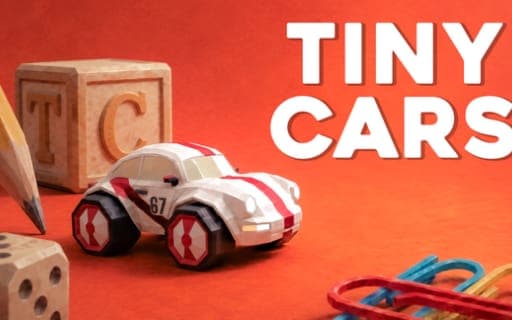
Tiny Cars
Game by Playgama. The provider may show ads and use cookies. Learn more
- Category
- Racing
- Platform
- Web browser
- Provider
- Playgama
- Price
- Free to play
About Tiny Cars
Tiny Cars shrinks racing down to the scale of a household. Its tracks are miniature courses assembled from everyday objects, and your car has to drift through tight turns and fly over jumps on its way around them. A track only counts as finished once you have collected every checkpoint and stayed clear of the obstacles, so precision matters as much as raw speed.
The real opponent is the clock. Each attempt is timed, and a ghost replay of an earlier run follows you so you can see exactly where time slips away; if it distracts you, one key hides it. Leaderboards show how your times compare with other players, and a quick restart key puts you back at the start the moment a run goes wrong. With 25 official tracks to learn, there is always another time to shave down.
Game provided by Playgama
How to play Tiny Cars
Objective
Collect every checkpoint, avoid the obstacles and finish each of the 25 official tracks in the lowest time you can, then climb the leaderboards.
Controls
Desktop
- W or Up Arrow: accelerate
- S or Down Arrow: brake or reverse
- A or Left Arrow: turn left
- D or Right Arrow: turn right
- R or Backspace: restart
- E: hide the ghost
Getting started
- Pick one of the 25 official tracks and take a slow first lap to see where its checkpoints and obstacles sit.
- Press W or the Up Arrow to accelerate, and turn using A and D or Left and Right through the tight bends.
- Collect every checkpoint as you go; a track only counts as finished once all of them are taken.
- Press R or Backspace the moment a run goes wrong, rather than limping on to the end.
- Race against your ghost replay on the next attempt, and press E to hide it if it gets in the way.
Tips
- Watch the ghost replay at the turns where it pulls ahead of you; that is where your line or braking needs work.
- Brake with S or the Down Arrow just before a tight turn so you can drift through it instead of sliding into an obstacle.
- A restart is instant on R or Backspace, so reset early on a poor run and spend the time on a clean one.
- Learn a track's checkpoint positions first and chase time second, since a missed checkpoint means the run does not count.
Play in your browser. No download needed.
Tiny Cars FAQ
How many tracks does Tiny Cars have?
Twenty-five official tracks. Each is a miniature course built from everyday household objects, with tight turns, jumps and obstacles, and each one has its own times to beat on the leaderboards.
What does the ghost do?
It replays one of your previous runs while you race, so you can see exactly where you are gaining or losing time. Press E if you would rather hide it and drive without the extra car on screen.
How do you finish a track?
Collect all of the checkpoints and avoid the obstacles on the way to the end. Speed only counts once every checkpoint is in, so a clean route comes before a fast one.
Which keys restart a run?
R or Backspace. Both restart immediately, which suits a game about shaving time: if a turn goes wrong early, a fresh attempt is usually quicker than finishing a slow lap.