
Two-Player Racing Games: Choose a Shared-Screen Race
On this page
In two-player racing games, sharing a keyboard changes how the race feels. Both players need room for their hands, a clear view of their own vehicle and a rule set that explains what decides the winner. A two-player label alone does not tell you whether you will steer around corners or choose forms at terrain changes.
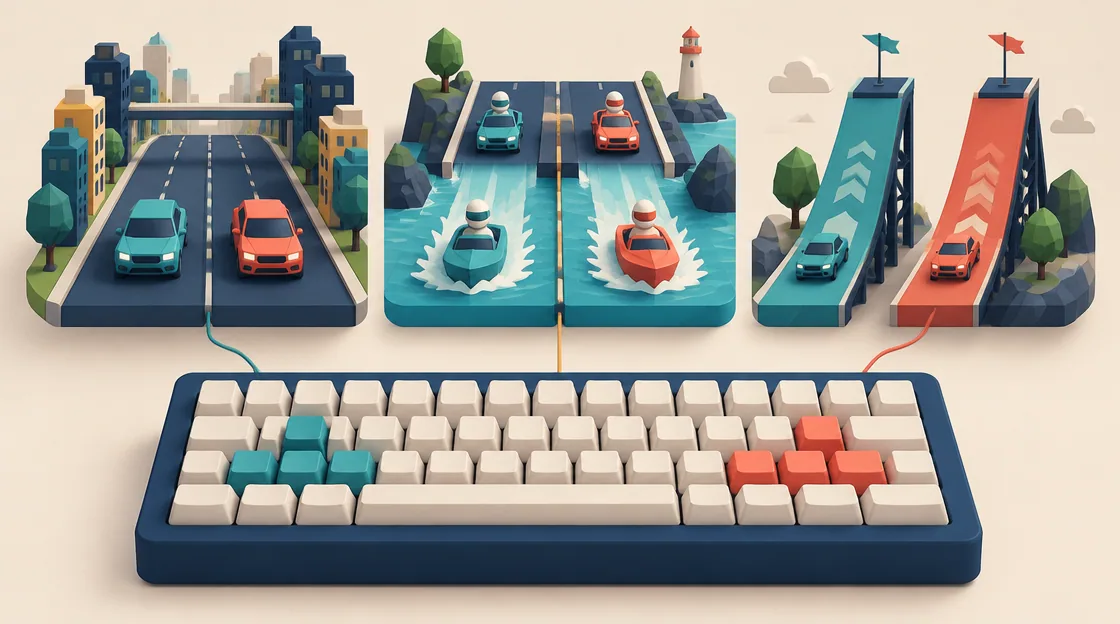
These three games document distinct local multiplayer controls. Choose between conventional city driving, terrain-based transformations and split-screen ramp competition before deciding which car looks best.
Two-player racing games: compare what each player controls
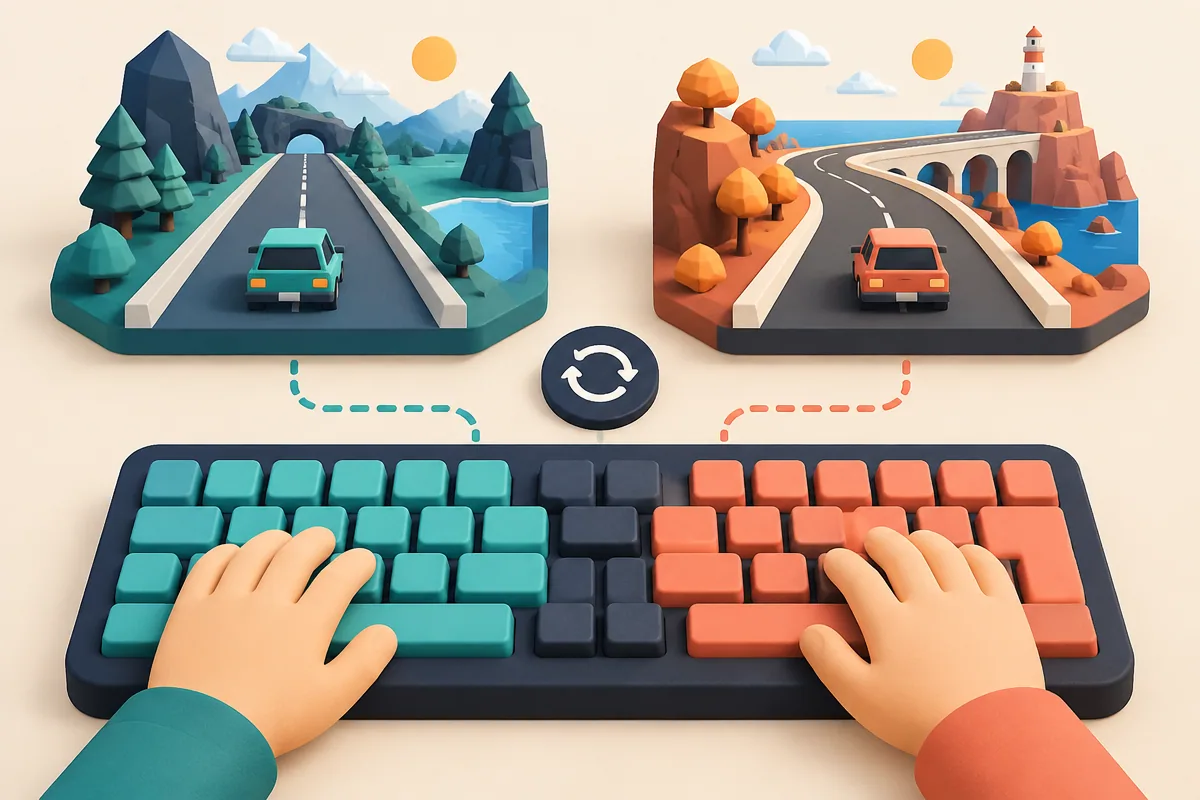
Illustration: Separate coloured key zones keep both players' hands apart, and each zone has its own road view.
| Game | Shared setup | Main competition |
|---|---|---|
| Night City Racing | Two keyboard control sets | City races with NOS and resets |
| Shape Transform Race | Separate form shortcuts | Choose a form for each terrain |
| GT Cars Mega Ramps | Split screen on one keyboard | Races with mode-specific hazards |
Before a serious race, let each player test movement, boost or form selection and recovery. That short setup prevents a control misunderstanding from deciding the result. Confirm the selected mode rather than assuming a solo menu uses the same bindings.
Night City Racing: learn the recovery keys
Night City Racing offers two-player city races with a shared keyboard. In that mode player one drives with the arrows and uses M for NOS, O to reset position, P to look back and K for camera. Player two drives with WASD, using Left Shift for NOS, R for reset, T to look back and C for camera.
The catalog describes unlimited nitro and cars that cannot be wrecked. Boost therefore does not need to be saved as a scarce charge, but its timing still changes how manageable a corner feels. Decide a useful camera before racing and learn the reset location. Recovering from an awkward position is part of the control scheme, not a reason to abandon the round.
Shape Transform Race: fewer inputs, different anticipation
Shape Transform Race makes the vehicle adapt to the route. Road, water and aerial sections call for different forms, and late changes lose momentum. Player one uses A, S and D to switch forms in two-player mode; player two uses J, K and L. Check which key represents which available form in the current race.
This is a useful choice when both players want competition without a full steering layout. Watch the terrain ahead of the racer rather than waiting for the current form to slow down. A close finish can be decided by recognising the next section early. Vehicles and characters can unlock through earned coins, so agree what each player is using before comparing performance.
GT Cars Mega Ramps: agree on the mode first
GT Cars Mega Ramps supports split-screen play on one keyboard. Player one uses WASD with Left Shift, R and C for NOS, reset and camera. Player two uses the arrows with N, L and U for those functions. The separate views make it important to keep attention on your own screen region.
Its modes impose different pressures. Face to Face includes oncoming debris, Color Lands penalizes slowing down with a fall into the void, and Mega Ramps brings huge jumps and hazards. A cautious learning style that helps in one mode may fail in another. Choose one mode for a set of rounds before treating the results as comparable.
Make a local race fair and readable
Use the same mode and familiar vehicles for an initial comparison. If one person is learning the keyboard while the other knows every route, make the first round a controls check. Then swap keyboard sides if hand spacing or key familiarity seems to matter. The goal is a contest both players understand.
For longer sessions, separate learning rounds from result rounds. One round can reveal shortcuts or hazards; the next can test execution. This keeps a game with surprises enjoyable without turning every new obstacle into an argument about fairness. These are local keyboard options, not a promise of online matchmaking in every listed title.
Related tags
Frequently asked questions
Which games here document local two-player controls?
Night City Racing, Shape Transform Race and GT Cars Mega Ramps list separate keyboard inputs for two players. Their input types and modes differ.
Does Shape Transform Race require conventional steering?
Its comparison here concerns selecting a form that matches the terrain. The documented two-player shortcuts switch forms rather than replicating the driving layout of Night City Racing.
Which side uses WASD in Night City Racing?
In its documented two-player mode, player two uses WASD and player one uses the arrows. Solo controls are different, so check the selected mode.
Does GT Cars Mega Ramps have split-screen play?
Its guide explicitly describes two people playing split-screen on one keyboard, with separate drive, NOS, reset and camera keys.
Why agree on a mode before competing?
GT Cars modes have different failure conditions, and transformation racing tests a different decision from city steering. A consistent format makes the result easier to interpret.
Are all three online multiplayer recommendations?
No. This article selects games with documented local two-player controls. It does not promise online play or matchmaking for the group.
Try the game that fits your next challenge
Play Night City RacingMore racing guides
 Racing
Traffic Timing Games: Junctions, Laps and Safe Gaps
Compare roundabout launch timing with stop-and-go traffic driving. Learn to inspect entry, occupied space and the exit before committing.
 Racing
Parking Puzzle Games: Plan Routes, Fuel and Car Order
Compare six parking games on Zigzigo by route drawing, traffic removal, fuel rules, move order and careful steering. Find the right planning challenge.
 Racing
Browser Racing Games: Stunts, Chases and Steady Driving
Compare six browser driving games on Zigzigo, from police chases and motorcycle stunts to bus routes and timed drag-racing shifts.
 Racing
Motorcycle Upgrade Games: Pick Progression That Fits
Compare motorcycle progression through circuit upgrades, traffic earnings and stunt-stage unlocks. Connect each purchase to a clear riding objective.