
Steve parkour in mine
Free to play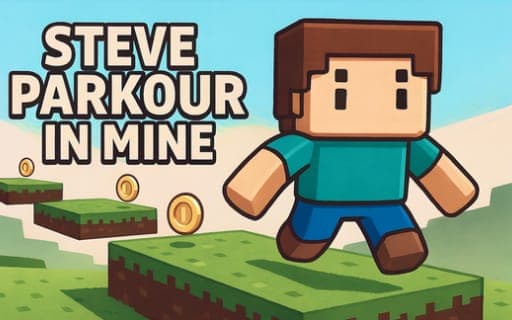
Steve parkour in mine
Game by Playgama. The provider may show ads and use cookies. Learn more
- Category
- Arcade
- Platform
- Web browser
- Provider
- Playgama
- Price
- Free to play
About Steve parkour in mine
Steve parkour in mine is a parkour platformer set in a blocky, cube-built world. Each level is a course of platforms broken up by traps and chasms, and the one rule that matters is not falling. You steer Steve from one platform to the next, judging each gap and committing to the jump at the right moment, with traps waiting for anyone who lands carelessly.
The difficulty climbs level by level, so jumps that feel generous early on give way to harder stretches later. Reaction speed and precise jumping are the two skills the game leans on. Because the camera is yours to move with the mouse, you can turn to look at the next stretch before leaping, which matters most on the longer chasms where a misjudged angle sends Steve down.
Game provided by Playgama
How to play Steve parkour in mine
Objective
Get Steve through each level of traps and chasms without falling, timing and aiming every jump as the levels grow harder.
Controls
Desktop
- WASD: move Steve
- Spacebar: jump
- Mouse: turn the camera
Getting started
- Move the mouse to look around the start of the level and find the first platform you need to reach.
- Walk Steve toward the edge with the WASD keys, lining him up straight with the next platform.
- Press the spacebar near the edge to jump the gap and land on the next platform.
- Check for traps on the platforms themselves, not only the chasms between them, and time your run past them.
- Clear the level and move on, expecting the following stage to ask for more precise jumps.
Tips
- Swing the camera with the mouse before a long jump so you can see both the take-off edge and the landing platform.
- Precision beats speed: stop near the edge, line up with WASD, then jump, rather than leaping on the run toward a narrow platform.
- Levels keep getting harder, so use the early ones to learn exactly how far one spacebar jump carries Steve.
- Traps sit alongside the chasms, so check where they are before landing rather than only measuring the width of the gap.
Play in your browser. No download needed.
Steve parkour in mine FAQ
Which keys move Steve?
The WASD keys move Steve, the spacebar makes him jump and the mouse controls the camera. That is the full set, so every level comes down to positioning, camera angle and jump timing.
Does Steve parkour in mine get harder?
Yes. The levels grow progressively more difficult, with traps and chasms that call for faster reactions and more precise jumps. Skills built on the early stages carry you further once the challenge rises.
Can Steve parkour in mine be played on a phone?
Only computer controls are described for it: WASD to move, the spacebar to jump and the mouse for the camera. No touch layout is mentioned, so a desktop with a mouse is the safest way to play.