
Retro Run
Free to play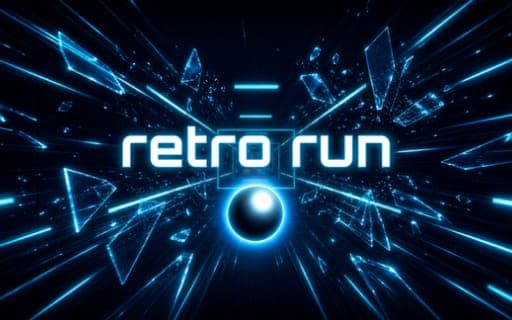
Retro Run
Game by Playgama. The provider may show ads and use cookies. Learn more
- Category
- Arcade
- Platform
- Web browser
- Provider
- Playgama
- Price
- Free to play
About Retro Run
Retro Run sends you down a glowing corridor packed with obstacles, and your orbs do double duty as weapon and lifeline. Some obstacles have to be dodged by moving left or right, while others can be smashed by throwing an orb at them, along with targets that break on impact. Power-ups are collected along the way and can get you out of a tight spot.
Orb management is the heart of it. Your supply is limited, and if you lose every orb you are forced to restart. Two things refill it: recalling a thrown orb with Space, and smashing the special crystals placed throughout the run. You can also switch between three orb colors with the number keys, and a power-up is triggered with F when you need it. The aim is to get as far as possible, which means throwing aggressively enough to clear the way without leaving yourself empty-handed.
Game provided by Playgama
How to play Retro Run
Objective
Get as far as you can down the corridor by dodging and smashing obstacles, keeping at least one orb in hand by recalling throws and breaking special crystals.
Controls
Desktop
- A / D: move left and right
- Left Click: throw your orb
- Space: recall your orb
- 1 / 2 / 3: switch orb colors
- F: activate a power-up
Getting started
- Start the run and use A and D to slide left and right around the obstacles you cannot break.
- Left Click to throw an orb at the obstacles and targets that can be smashed.
- Press Space to recall the orb you threw so your supply never runs dry.
- Smash the special crystals you pass along the corridor, since they restore your orbs as well.
- Switch orb colors with the 1, 2 and 3 keys whenever you want a different orb ready.
- Pick up power-ups and press F to use one when a section gets too crowded to handle.
Tips
- Losing every orb forces a restart, so recall with Space soon after each throw rather than throwing again and again.
- Special crystals refill your orbs, so aim at them whenever they are in range, even when the path ahead is already clear.
- Not every obstacle can be smashed, so learn which ones need a sidestep with A or D and save your throws for the breakable ones.
- Keep a power-up in reserve for tight spots, pressing F only when a dodge or a throw will not be enough.
Play in your browser. No download needed.
Retro Run FAQ
What happens if you run out of orbs in Retro Run?
You are forced to restart. To avoid that, recall your thrown orb with Space and smash the special crystals along the way, since both restore your orb supply.
What are the controls in Retro Run?
A and D move left and right, Left Click throws your orb, Space recalls it, 1, 2 and 3 switch orb colors, and F activates a power-up. It is a PC game, so everything runs on the keyboard and mouse.
Is Retro Run free to play?
Yes, it is a free-to-play PC game. Runs take place in a corridor where you dodge obstacles, smash others with orbs and collect power-ups while trying to get as far as possible.