
Chrome Dino Game (Original)
Free to play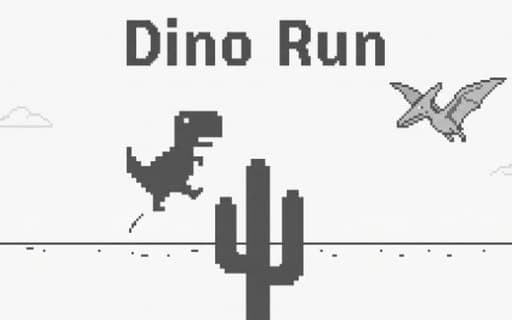
Chrome Dino Game (Original)
Game by Playgama. The provider may show ads and use cookies. Learn more
- Category
- Arcade
- Platform
- Web browser
- Provider
- Playgama
- Price
- Free to play
About Chrome Dino Game (Original)
The pixel T-Rex runner began in 2014 as an easter egg on the page a browser shows when the connection drops, and Chrome Dino Game (Original) keeps its rules intact. A lone dinosaur sprints across a monochrome desert while obstacles scroll toward it: single cacti, wide cactus clusters and pterodactyls flying at different heights. One collision ends the run.
There is no finish line. Speed climbs the longer you survive, so reaction windows shrink and obstacles bunch closer together, and at set score milestones the screen flips between a light day palette and a dark night one. Your best distance is kept as a high score to chase. After a crash, a rewarded ad offers one extra life before you start over, and a fresh run begins with the same single jump.
Game provided by Playgama
How to play Chrome Dino Game (Original)
Objective
Keep the T-Rex running by jumping over cacti and low pterodactyls and ducking under high ones, setting a new high score before a collision ends the run.
Controls
Desktop
- Spacebar or Up Arrow: jump over cacti and low pterodactyls
- Down Arrow: duck under the higher pterodactyls
- Spacebar: start a new run after a crash
Mobile
- Tap the screen: jump cacti and the lower pterodactyls
- Tap: run again after a crash
Getting started
- Start a run with the Spacebar or a tap, and the T-Rex sets off across the desert on its own.
- Jump each cactus as it reaches you; single stalks and wide clusters both need a jump timed from the ground.
- When a pterodactyl approaches, check its height: jump a low one, and on a computer press Down Arrow to duck a high one.
- On a phone, tap to jump the low flyers and simply keep running beneath the high ones.
- After a crash, decide whether to watch a rewarded ad and continue with one extra life, or press the Spacebar or tap to start over.
Tips
- Expect the screen to swap between day and night colors at score milestones; it is only a visual change, so keep your eyes on the obstacles.
- The run speeds up steadily, so start your jumps a little earlier as the score climbs and the gaps between obstacles shrink.
- Read pterodactyl height before reacting: low ones get jumped, while high ones are ducked on desktop or simply run under on a phone.
- Dense cactus clusters are wider than single stalks, so a jump that clears one stalk may need tighter timing for a big group.
Play in your browser. No download needed.
Chrome Dino Game (Original) FAQ
How do you duck in Dino Game (Original)?
On a computer, press the Down Arrow to drop under high-flying pterodactyls. On a phone a tap only jumps, so let the high flyers pass overhead while the T-Rex keeps running, and save your taps for cacti and low birds.
Why does the screen switch to dark colors?
Passing certain score milestones flips the desert from its light day look to a dark night mode, and the next milestone switches it back. The obstacles and controls stay the same; only the colors change.
What happens after a crash?
The run ends, and you can take one extra life by watching a rewarded ad or simply start again with the Spacebar or a tap. Your best run is saved as a high score, so each fresh attempt has a target.
Where did the T-Rex runner come from?
It first appeared in 2014 as a hidden easter egg on the page a browser shows when the internet connection drops. This version keeps the original pixel look and the same jump-and-duck rules.