
Chroma Trek
Free to play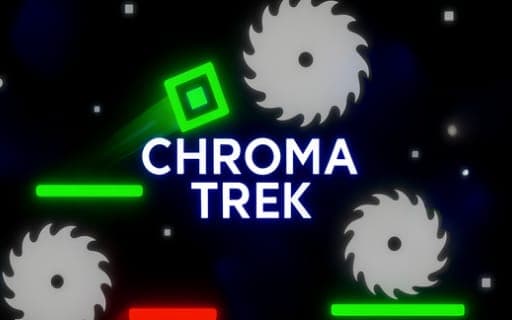
Chroma Trek
Game by Playgama. The provider may show ads and use cookies. Learn more
- Category
- Arcade
- Platform
- Web browser
- Provider
- Playgama
- Price
- Free to play
About Chroma Trek
Chroma Trek is a neon platformer with a single destination per level: the Finish Crystal. Between you and it lie traps, pits and other hazards, and the levels are built as separate challenges rather than copies of one layout, so each stage asks for a fresh read of the route. Movement is classic platformer fare: run left or right and jump over the gaps.
The signature idea is color switching. Obstacles come in different types, and changing color is what lets you pass through some of them instead of going around, which adds a layer of planning to the usual run and jump. Along the way the creator leaves motivational messages that cheer you toward the finish, and the bold neon palette gives every level the same glowing look.
Game provided by Playgama
How to play Chroma Trek
Objective
Get through each level's traps, pits and hazards, using color switching to pass obstacles, and reach the Finish Crystal to complete the stage.
Controls
Desktop
- A or Left Arrow: move left
- D or Right Arrow: move right
- W or Spacebar: jump
Getting started
- Pick the keys that suit you: A or Left Arrow moves left, D or Right Arrow moves right, W or Spacebar jumps.
- Move through the opening section and jump the first gap to get a feel for how far a jump carries you.
- Watch the obstacle colors ahead and switch color where the level lets you pass through one.
- Steer clear of traps and pits as they appear, since the hazards change from one level to the next.
- Reach the Finish Crystal at the end of the course to complete the level and move to the next.
Tips
- Treat each level as new: they are designed as distinct challenges, so do not assume a trick from the last stage will work again.
- Look ahead at obstacle types before committing to a jump, because color switching decides which ones you can pass straight through.
- Use whichever jump key feels steadier, W or the Spacebar; both do the same thing, so pick the one that pairs best with your movement keys.
Play in your browser. No download needed.
Chroma Trek FAQ
What are the controls in Chroma Trek?
Move left with A or the Left Arrow and right with D or the Right Arrow. Jump with W or the Spacebar. Those keys cover running and jumping across every level on the way to the Finish Crystal.
What does color switching do?
It allows you to pass through certain kinds of obstacles that would otherwise block the route. Learning which obstacles you can slip through by changing color is the main skill the levels build on.
How do you finish a level in Chroma Trek?
Reach the Finish Crystal. Along the route, avoid the traps, pits and other hazards, and use the color-switching mechanic where obstacles stand between you and the crystal.
What are the messages that show up during levels?
They are motivational notes from the creator, placed along the course to encourage you to keep pushing forward. They are part of the presentation and appear as you move through the levels.