
Cut It 3D
Free to play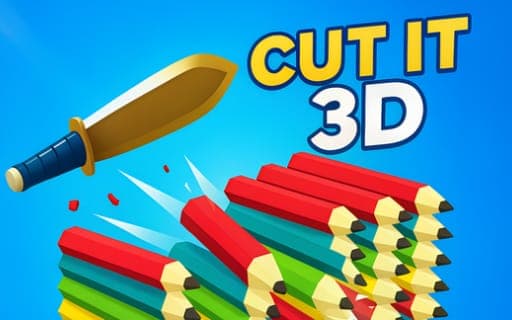
Cut It 3D
Game by Playgama. The provider may show ads and use cookies. Learn more
- Category
- Arcade
- Platform
- Web browser
- Provider
- Playgama
- Price
- Free to play
About Cut It 3D
Cut It 3D sends a knife spinning forward along a course packed with obstacles. The knife travels on its own; your only input sends it into a flip, and the aim is to time each flip so the sharp edge meets the next obstacle and splits it into two equal halves. Pencils, pipes and anvils are among the things lined up in its path.
Two rules keep every run tense. The knife must stay in the air the whole time, because letting it drop ends the attempt. And contact matters: the blade cuts, but the handle does not. That second rule has an upside, though. If the angle is wrong and the handle strikes an obstacle, the knife bounces off and flips back over, giving you another chance at a clean cut instead of ending the run. Reaching the end of the course completes it and moves you closer to knife-master status.
Game provided by Playgama
How to play Cut It 3D
Objective
Flip the knife at the right moments to slice every obstacle into equal halves, keep it airborne the whole way and reach the end of each course.
Controls
Desktop
- Left mouse button: flip the knife
Mobile
- Tap the screen: flip the knife
Getting started
- Watch the knife start moving forward by itself and look at the first obstacle in its path.
- Press the left mouse button, or tap the screen on a phone, to send the knife into a flip.
- Time the flip so the blade, not the handle, lands on the obstacle and cuts it into equal halves.
- Keep flipping to stay airborne, because the attempt ends if the knife falls.
- If the handle hits an obstacle, use the bounce to flip back over and line up another cut, then carry on to the end.
Tips
- A handle strike is not the end: the bounce flips the knife back over, so treat it as a second chance rather than a failure.
- Since the knife must never fall, flip again soon after each cut instead of waiting for the next obstacle to come close.
- Aim for the middle of each obstacle, since two equal halves are what every cut is meant to produce.
Play in your browser. No download needed.
Cut It 3D FAQ
What ends a run in Cut It 3D?
Letting the knife fall. It has to stay in the air for the whole course, so keep flipping. A handle hit does not end the run; the knife bounces off and flips back for another try.
How do you flip the knife?
Press the left mouse button on a computer or tap the screen on a phone. Each input sends the knife into a flip while it keeps travelling forward on its own.
What obstacles do you cut in Cut It 3D?
Pencils, pipes and anvils are among them, along with others. Each one should be sliced into two equal halves by the blade as the knife makes its way toward the end of the course.