
Snow Rush 3D
Free to play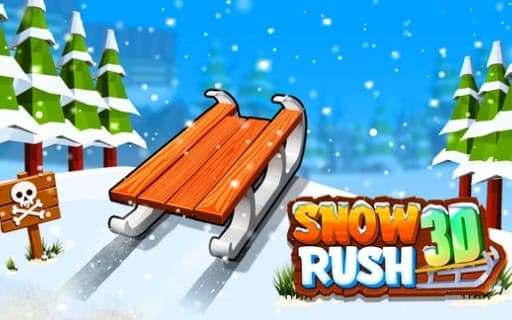
Snow Rush 3D
Game by Playgama. The provider may show ads and use cookies. Learn more
- Category
- Arcade
- Platform
- Web browser
- Provider
- Playgama
- Price
- Free to play
About Snow Rush 3D
Snow Rush 3D puts you on a sled at the top of a snowy track that never ends. The sled keeps sliding forward; you shift left or right and jump to keep clear of trees, snowmen and barriers, and the run lasts only until you crash. How far you get is what counts, so the aim is always to go a little farther than last time.
The challenge builds by itself, because the sled speeds up the longer a run lasts, leaving less time to react to each obstacle. Gifts along the track can be collected to unlock new sleds. Two players can compete on the same device, one on A, D and W or Space and the other on the Left, Right and Up arrows, while phones run the game in one-player mode, with taps on either side of the screen to steer and a two-finger tap to jump.
Game provided by Playgama
How to play Snow Rush 3D
Objective
Sled as far down the snowy track as you can, steering clear of barriers, snowmen and trees, while picking up gifts that unlock new sleds.
Controls
Desktop
- A / D (Player 1): move left or right
- W or Space (Player 1): jump
- Left / Right arrows (Player 2): move left or right
- Up arrow (Player 2): jump
Mobile
- Tap the left or right side of the screen: move that way
- Tap with two fingers: jump
Getting started
- Pick single-player or two-player mode; on a phone only the one-player mode is available.
- As the sled moves off, steer with A and D, or tap the left and right sides of the screen on a phone.
- Jump with W or Space, or with a two-finger tap, when steering alone will not get you past an obstacle.
- Grab the gifts along the track whenever it is safe, since they unlock new sleds.
- Keep reacting as the speed rises, and try to go farther than before on the next run.
Tips
- Speed increases the longer you survive, so make your moves early and small rather than late and wide.
- A gift is never worth a crash; skip any that would pull you into a tree, a snowman or a barrier once the sled is moving fast.
- In two-player mode both players share one device, so Player 2 keeps to the Left, Right and Up arrows while Player 1 stays on A, D and W.
- On a phone, jumping needs two fingers at once, so practise the two-finger tap early before the track gets fast.
Play in your browser. No download needed.
Snow Rush 3D FAQ
How do you jump on a phone in Snow Rush 3D?
Tap the screen with two fingers at once. A single tap on the left or right side steers the sled that way, and the phone version runs in one-player mode only.
Can two people play together?
Yes, on the same device. Player 1 steers with A and D and jumps with W or Space, while Player 2 steers with the Left and Right arrows and jumps with the Up arrow.
What do gifts do?
Every gift you pick up during a run goes toward unlocking new sleds, which adds some variety to your rides. Since the track keeps getting faster, pick them up only when you can reach them without risking a crash.