
Parkour Run - 3D Runner
Free to play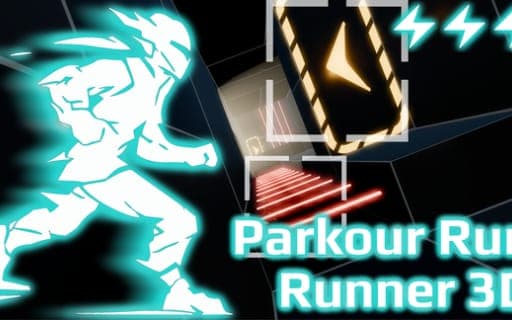
Parkour Run - 3D Runner
Game by Playgama. The provider may show ads and use cookies. Learn more
- Category
- Arcade
- Platform
- Web browser
- Provider
- Playgama
- Price
- Free to play
About Parkour Run - 3D Runner
Parkour Run - 3D Runner sets every level up as a short race against the clock through hazardous, future-themed corridors. You start at one end, the finish line waits at the other, and your time decides how well you did. Level 1 doubles as a tutorial, and new mechanics are introduced as later levels open up. The level geometry is kept deliberately bare, so the thing you study is the route itself.
Movement is where the depth lies. Your runner can wall-run by holding toward a wall, push off it with a jump, slide and grab ledges, while dash pads and trampolines add bursts of momentum and lasers punish a sloppy line. Top speed only comes from running straight ahead, so every sidestep costs a little time. Finishing earns up to three stars, and breaking time records unlocks new runs, which turns each course into a small puzzle about finding the cleanest path.
Game provided by Playgama
How to play Parkour Run - 3D Runner
Objective
Clear each course and cross the finish line as quickly as you can, aiming for a three-star rating and new time records that unlock further runs.
Controls
Desktop
- A or Left Arrow: move left, or wall-run while held against a wall
- D or Right Arrow: move right, or wall-run while held against a wall
- Space: jump, or push off a wall
- Shift: slide, with left and right steering still active
- R: restart the level
Mobile
- Tap anywhere: bring up the virtual joystick
- Joystick center: idle, no action
- Joystick top area: jump
- Joystick left or right area: move that way, or wall-run against a wall
- Joystick bottom center: slide
- Joystick bottom left or bottom right: slide while moving left or right
Getting started
- Begin with Level 1, which works as the tutorial and shows the basic moves before the courses get tougher.
- On a phone, tap anywhere to call up the joystick, and change its size in the Options menu if it feels awkward.
- Run straight toward the finish whenever the course allows it, since moving straight forward is the only way to reach maximum speed.
- Hold toward a wall to wall-run along it, then press Space or use the joystick's top area to jump off.
- Slide with Shift or the bottom of the joystick, and press R on a computer to restart a run that went wrong.
Tips
- Because top speed only comes from running straight, line up wall-runs and slides early so you spend as little time as possible steering sideways.
- Steering still works during a slide, so start the slide before a hazard and correct your line while low instead of stopping first.
- Dash pads and trampolines add momentum; route through them, since a broken time record is what unlocks new runs.
- On mobile, the bottom-left and bottom-right joystick zones combine a slide with a sidestep, which saves a second input in tight spots.
- Stars reward a fast finish, so restart quickly with R after an early mistake rather than completing a run you already know is slow.
Play in your browser. No download needed.
Parkour Run - 3D Runner FAQ
How does the joystick work in Parkour Run - 3D Runner on a phone?
Tap anywhere and a virtual joystick appears. Keep your finger in its top area to jump, in the left or right area to move or wall-run, and in the bottom zones to slide. The center does nothing, and the size can be changed in Options.
How do stars work in Parkour Run - 3D Runner?
Each completed level earns up to a three-star rating as part of the time-attack format. Running straight forward gives maximum speed, so the quickest routes avoid needless steering, and breaking time records also unlocks new runs to try.
Which parkour moves does the runner have?
Wall-running, jumping, pushing off walls, sliding and ledge grabs. Courses also include dash pads and trampolines for momentum and lasers to dodge. Level 1 introduces the basics, and extra mechanics show up as you progress through later levels.