
Resize Stickman
Free to play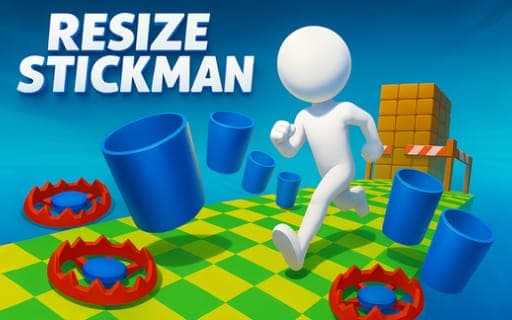
Resize Stickman
Game by Playgama. The provider may show ads and use cookies. Learn more
- Category
- Arcade
- Platform
- Web browser
- Provider
- Playgama
- Price
- Free to play
About Resize Stickman
Resize Stickman gives its hero one power and no others. The stickman runs forward on his own, so steering is out of your hands; what you control is his size. Towering barriers need him big enough to smash straight through, while low obstacles need him small enough to slip underneath, and each one has to be read in a split second as it approaches.
That single choice, big or small, drives the whole run. The course keeps changing, so the skill lies in finding the rhythm of resizing rather than reacting late. Completing levels earns coins and pushes your high score and personal record upward. Coins feed a large collection of skins offered by a gacha-style shop that unlocks them progressively, while achievements come in several tiers. The presentation is clean 3D with satisfying animations, and the game is fully localized for players around the world.
Game provided by Playgama
How to play Resize Stickman
Objective
Guide the auto-running stickman as far as possible by switching between large and small at the right moments, completing levels for coins and a higher score.
Controls
Mobile
- Swipe up: make the stickman large in an instant
- Swipe down: make the stickman small in an instant
Getting started
- Start a level and let the stickman run; he moves forward automatically, so your attention goes entirely to his size.
- Swipe up to make him large when a towering barrier is ahead, so he smashes straight through it.
- Swipe down to make him small before a low obstacle, so he slips underneath instead of hitting it.
- Keep reading each obstacle early and switch size in rhythm as the course keeps changing.
- Finish levels to earn coins, then spend them in the shop on new skins while working toward achievements.
Tips
- Every obstacle demands one of two sizes, so decide big or small the moment it appears instead of waiting until the stickman reaches it.
- Resizing is instant, which means a late switch can still save you, but an early swipe leaves room to correct a wrong read.
- When obstacles come close together, plan the next swipe while the current one is still playing out, since the course changes constantly.
- Coins come from completing levels, so steady finishes are what pay for new skins in the gacha-style shop.
Play in your browser. No download needed.
Resize Stickman FAQ
How do you control the stickman in Resize Stickman?
Swipe up to make him large and swipe down to make him small, both instantly. He runs forward by himself, so size is the only thing you control, and every obstacle needs one size or the other.
When should the stickman be big or small?
Grow large to smash through towering barriers, and shrink to slip under low obstacles. Each obstacle calls for a quick read, and mastering the rhythm of switching between the two keeps the run going.
What do coins unlock in Resize Stickman?
Coins earned by completing levels unlock new skins and achievements. The skins come from a large collection offered through a progressive gacha-style shop, and achievements are split into multiple tiers.
Can you play Resize Stickman on a phone?
Yes. The controls are two swipes, up to grow and down to shrink, which makes it a natural fit for a phone screen. Size is the one ability you manage, so nothing else needs learning.