
Obby Car Keyboard Parkour
Free to play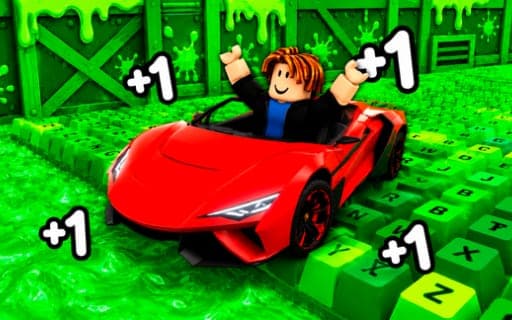
Obby Car Keyboard Parkour
Game by Playgama. The provider may show ads and use cookies. Learn more
- Category
- Arcade
- Platform
- Web browser
- Provider
- Playgama
- Price
- Free to play
About Obby Car Keyboard Parkour
Obby Car Keyboard Parkour builds its obstacle course around a keyboard theme and hands you a car to tackle it. You race along the parkour tracks, jump and dodge the obstacles placed on them, and reach the finish line to open up new areas of the course.
Your garage drives the progression. Every new car you get raises your speed, which is what lets you push into tougher levels, and rewards, powerful boosts and rare supercars keep arriving as you play. When progress slows, the Rebirth system grants permanent bonuses, so each run afterward is faster than the last. Colorful graphics and a wide variety of vehicles round things out, and the progression has no fixed end, so there is always another car or bonus to chase.
Game provided by Playgama
How to play Obby Car Keyboard Parkour
Objective
Race through the keyboard-themed parkour tracks, get past the obstacles and cross the finish to open new areas, growing faster with each car and rebirth.
Controls
Desktop
- WASD: drive the car
- Hold the right mouse button and move the mouse: aim the camera
- Space: jump
- Tab: pause
- R: return to the start
Mobile
- On-screen controls: drive the car
Getting started
- Start the first track and drive with WASD, or the on-screen controls on a phone, along the keyboard-themed course.
- Press Space to jump obstacles and gaps, and keep the right mouse button down while moving the mouse to look ahead.
- Cross the finish to open up a new area of the course, grabbing any rewards and boosts you pass.
- Unlock new cars as you go, since each one adds speed for the tougher levels, and press R to return to the start.
- When progress stalls, use Rebirth to earn permanent bonuses that make every later run faster.
Tips
- Get a new car before a level that keeps beating you, because each car increases your speed and speed is what carries you through tougher sections.
- Grab boosts on the track whenever you can, as they lift your performance on the trickier parkour stretches.
- Press R to go back to the start after a bad line instead of fighting on from a poor position, and Tab whenever you need a pause.
- Rebirth bonuses are permanent, so taking one when progress slows gives every run afterward a lasting speed advantage.
Play in your browser. No download needed.
Obby Car Keyboard Parkour FAQ
What does Rebirth do in Obby Car Keyboard Parkour?
Rebirth gives you permanent bonuses that make you faster on each run that follows. It works alongside new cars, rewards and boosts as one of the main ways your speed keeps climbing through the course.
How do you pause or restart a run?
Press Tab to pause and R to go back to the start. Driving uses WASD, Space jumps, and holding the right mouse button while moving the mouse turns the camera.
Can you play it without a keyboard?
Yes. On mobile the car is driven with on-screen controls, so a phone works without any keys. On a computer the full set is WASD, Space, Tab, R and the right mouse button for the camera.
What are the rare supercars?
Rare supercars are vehicles you can unlock as you progress. Since every new car raises your speed, adding vehicles to your collection is part of how you take on the tougher keyboard levels.