
Run & Jump Jumbo Runner
Free to play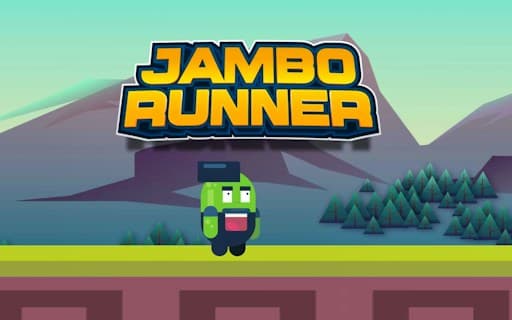
Run & Jump Jumbo Runner
Game by GamePix. The provider may show ads and use cookies. Learn more
- Category
- Arcade
- Platform
- Web browser
- Provider
- GamePix
- Price
- Free to play
About Run & Jump Jumbo Runner
Run & Jump Jumbo Runner, titled JAMBO RUNNER on its own menu, is a side-on running game drawn in a bright cartoon style. Purple mountains and pine trees fill the background, the hero runs on a strip of green grass above a maroon block wall, and tall red pillars rise from the ground as obstacles. The menu shows Your Score and High Score panels over a big orange play button, while the run itself has six pink hearts in an orange bar at the top and a blue score bubble under them.
The pace is short and punishing: a run that meets a pillar head-on drops you straight back on the menu with your score shown. The game's description adds flying sections to the running, with obstacles to dodge in the air as well as on the ground, and speeds that climb as quick, well-timed taps carry you further. The screens are laid out for an upright phone.
Game provided by GamePix
How to play Run & Jump Jumbo Runner
Objective
Keep the green runner moving past the red pillars and other obstacles for as long as possible, pushing your score past the High Score shown on the menu.
Controls
Mobile
- Tap the orange play button: start a run
- Home button (top left during a run): go back to the menu
- Speaker icon (upper right): turn the audio off or on
Getting started
- The JAMBO RUNNER menu is an upright screen with Your Score and High Score panels, both at 0 on a first visit.
- Use the speaker icon at the upper right if you want the run silent, and leave the X button alone unless you mean to close.
- Tap the large orange play button in the middle to drop the green, capped runner onto the grass.
- React straight away: the first red pillar stands only a short way ahead of the starting spot.
- When a run ends you land back on the menu, where Your Score shows the result next to your best.
Tips
- The first red pillar comes almost immediately, so be ready to act the moment the run begins instead of waiting to see the scenery.
- Keep an eye on the six hearts in the orange bar at the top; they are the only health display on the running screen.
- The blue bubble under the hearts is the live score, and it is the number copied to Your Score on the menu after a crash.
- The X at the menu's upper left is not the start button; the large orange play button in the middle begins the run.
Play in your browser. No download needed.
Run & Jump Jumbo Runner FAQ
Does Run & Jump Jumbo Runner have flying sections?
The game's description promises flights as well as runs, with obstacles to dodge in the air and on the ground. The opening stretch is on foot, with a tall red pillar standing just ahead of the starting spot.
What ends a run in Run & Jump Jumbo Runner?
Running into an obstacle such as the tall red pillar near the start can finish a run at once and return you to the menu. Your Score then shows how far you got, next to the High Score panel.
What do the hearts at the top of the screen show?
The row of six pink hearts in the orange bar is the runner's health display during a run. The blue bubble underneath is the score for the current attempt, starting at 0.