
Obby Up: Parkour Run
Free to play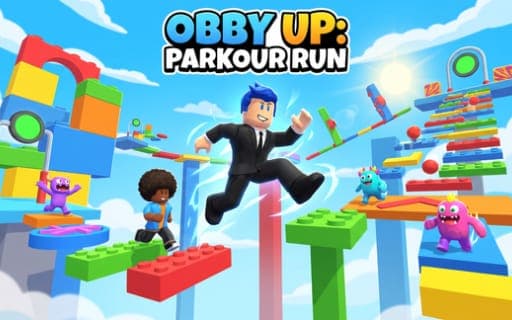
Obby Up: Parkour Run
Game by Playgama. The provider may show ads and use cookies. Learn more
- Category
- Arcade
- Platform
- Web browser
- Provider
- Playgama
- Price
- Free to play
About Obby Up: Parkour Run
Obby Up: Parkour Run is a vertical obby: a tall obstacle course you climb from the bottom to the summit by running along platforms, jumping across gaps and avoiding traps. Checkpoints sit along the route, and once you activate one, a fall sends you back there instead of to the start. Coins are spread over the climb, and side challenges branch off the main path for players who want more than the ascent.
What sets it apart is the size slider. Dragging it shrinks your runner so it can slip through narrow passages, or grows it to deal with larger obstacles, and choosing the right size is part of reading each section. A hammer can be equipped for striking, a double jump becomes available at times, and boosters are switched on from on-screen buttons. Outfits and pets change how your runner looks, and you can pick your own route upward.
Game provided by Playgama
How to play Obby Up: Parkour Run
Objective
Reach the summit of the course by working across platforms and steering clear of traps, activating checkpoints as you rise and changing size whenever a passage is too narrow or an obstacle too big.
Controls
Desktop
- WASD or arrow keys: run around the course
- Space: jump, then press it once more while airborne if double jump is available
- Click and drag on the camera area: turn the view
- Size slider (drag): shrink or grow the runner
- E or the hammer button: swing the hammer when it is equipped
- Escape: pause or resume
- On-screen buttons: switch on boosters and open settings
Mobile
- Left joystick (drag): move the runner
- Swipe the camera area: look around
- Jump or hammer button (tap): jump or strike, whichever action is active
- Size slider (drag): switch between small and large
- Settings button: adjust music and sound effects
Getting started
- On a phone, turn the screen to landscape before starting, since the game is meant to be played in that orientation.
- Get moving with WASD or the arrow keys on a computer, or drag the left joystick on a phone, and cross the first platforms.
- Jump with Space or the jump button, and try a second press mid-air whenever a double jump is available.
- Run through every checkpoint you pass so it activates; a later fall then returns you there rather than to the bottom.
- When a gap looks too tight, drag the size slider to shrink your runner, then drag it back to grow for larger obstacles.
Tips
- Activate each checkpoint even if it means a short detour, because a fall only costs you the distance back to your last saved point.
- Set your size before you reach a narrow section rather than in mid-jump; the slider decides whether your runner fits through or can handle a bigger obstacle.
- Hold the double jump for gaps a single press of Space cannot clear, and remember it only works while it is available.
- Rewarded videos are optional, but they can unlock extra boosters, so consider one when a booster would help on a stretch you keep failing.
Play in your browser. No download needed.
Obby Up: Parkour Run FAQ
What does the size slider do in Obby Up: Parkour Run?
It changes how big your runner is. Drag it one way to shrink and fit through tight gaps or passages, and the other way to grow when an obstacle calls for a larger runner. The slider is dragged the same way on desktop and mobile.
What happens when you fall off the course?
You go back to the last checkpoint you activated and try that section again. Activating checkpoints as you climb is what saves your progress, so skipping one can mean repeating a long stretch of platforms.
How do you play it on a phone?
Hold the phone in landscape, move with the left joystick, look around by swiping the camera area, and tap the jump or hammer button for whichever action is active. The size slider is dragged just as it is on a computer.
Do you have to pay for outfits and pets?
No. Extra boosters, pets and outfits can come from optional rewarded videos, and any purchases are optional, offered only where the platform supports them. Coins also turn up all along the course as you climb.