
Only Up Obby: Tower Climb
Free to play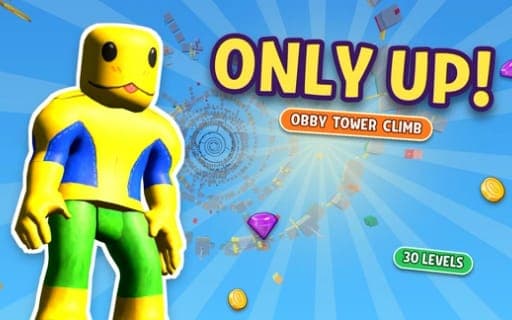
Only Up Obby: Tower Climb
Game by Playgama. The provider may show ads and use cookies. Learn more
- Category
- Arcade
- Platform
- Web browser
- Provider
- Playgama
- Price
- Free to play
About Only Up Obby: Tower Climb
Everything in Only Up Obby: Tower Climb happens on one huge tower, split into 30 hand-built levels stacked on top of each other. Each level ends at a flag, and reaching it unlocks the one above. Falling is the main danger: drop off a platform and you lose height, so a single bad landing can undo a lot of climbing.
Each level brings fresh traps: swinging hammers, crushers and pistons, spinning blades, conveyors, wind zones, and platforms that move or vanish. Springs and rings can fling you upward if you time them right. A double jump helps rescue short leaps. Coins and diamonds collected on the way buy more than 30 skins, such as a frog, spider, cat, dog, capybara or stickman, or let you skip a level that is too hard. A Training Hall covers every obstacle before the real climb, a leaderboard ranks players by best height, and the game is available in English and Russian.
Game provided by Playgama
How to play Only Up Obby: Tower Climb
Objective
Climb the tower by reaching the flag that caps each of its 30 levels, avoiding traps and landing every jump, since any fall costs you height.
Controls
Desktop
- WASD or arrow keys: move
- Mouse: look around
- Space: jump; a second press while airborne gives a double jump
- Shift: run
- Pause button, top left: pause and open settings
Mobile
- Floating joystick, left side: move, pushing further to run
- Swipe on the right side: rotate the camera
- JUMP button: jump, or tap twice for a double jump
- RUN button: switch auto-run on or off
Getting started
- Warm up in the Training Hall first; it lets you try each kind of obstacle with nothing at stake.
- Get moving with WASD or the arrow keys and look around with the mouse, or use the floating joystick on the left of a phone screen.
- Jump with Space or the JUMP button, and press it again mid-air to double jump if a leap falls short.
- Hit springs and rings with good timing so they throw you up onto the next platform.
- Reach the flag at the top of the level to unlock the next one, collecting coins and diamonds on the way.
Tips
- Save the double jump for fixing a short leap rather than using it out of habit, since a missed landing costs you height you already earned.
- If one level keeps knocking you down, spend coins or diamonds to skip it; that option exists for levels that get too hard.
- Practice anything new in the Training Hall first, especially crushers, pistons and wind zones, so the real climb is not where you learn them.
- On a phone, switch on auto-run with the RUN button for long stretches, and push the joystick further when you need extra speed.
Play in your browser. No download needed.
Only Up Obby: Tower Climb FAQ
How many levels does Only Up Obby: Tower Climb have?
Thirty hand-built levels make up the tower. Each one ends at a flag that unlocks the level above, and finishing all 30 completes the climb. A level that is too hard can be skipped with coins or diamonds.
What happens when you fall?
You lose height. Each fall drops you lower on the tower, so careful landings matter more than speed. The double jump can rescue a jump that comes up short, and springs and rings help you regain height.
Which skins can you unlock?
More than 30, including a frog, spider, cat, dog, capybara and stickman, along with color variants of them. Skins are bought in the shop with the coins and diamonds you collect while climbing.
How does it play on a phone?
A floating joystick on the left side moves you, and pushing it further makes you run. Swipe on the right side to turn the camera, tap the JUMP button to jump or tap it twice to double jump, and toggle auto-run with RUN.