
Catoom! - Bomb Barrel
Free to play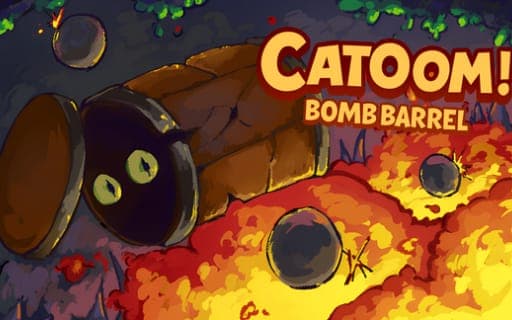
Catoom! - Bomb Barrel
Game by Playgama. The provider may show ads and use cookies. Learn more
- Category
- Arcade
- Platform
- Web browser
- Provider
- Playgama
- Price
- Free to play
About Catoom! - Bomb Barrel
In Catoom! - Bomb Barrel the hero does not run or jump on foot. You roll around inside a barrel, and rolling on its own is slow. The real speed comes from bombs: throw one at a spot near the barrel, let it go off, and the blast shoves you onward. Once you are moving, rolling the barrel yourself keeps that momentum alive.
That one idea feeds everything else. The same explosions that launch you also take care of the many enemies in each level, and the ground is made of destructible tiles, so a well-placed bomb can blast open a route that was not there before. Physics sits at the center rather than in the background, which means every throw is a small calculation of where the bomb lands, how close the barrel is and which way you want to fly. Quick reactions help, but so does improvising a fresh solution when a plan falls apart.
Game provided by Playgama
How to play Catoom! - Bomb Barrel
Objective
Roll your barrel through each level, using bomb blasts to build speed, defeat enemies and break the tiles that block the way forward.
Controls
Desktop
- WASD: move the barrel
Mobile
- Tap and release: throw a bomb at the tapped location
- Drag the area: reveal a virtual joystick for movement
Getting started
- Get the barrel rolling with WASD on a computer, or drag on a touchscreen to call up the joystick and move.
- On a touchscreen, tap and release a spot close to the barrel to throw a bomb exactly there.
- Let the bomb explode near the barrel so the blast accelerates it toward where you want to go.
- Keep rolling the barrel yourself right after the explosion, otherwise the extra momentum is lost.
- Throw bombs at enemies and at destructible tiles to clear threats and carve a new path through the level.
Tips
- Treat each bomb as both an engine and a weapon: a blast near the barrel that also catches an enemy speeds you up and clears the threat at once.
- Momentum only lasts if you keep rolling after a blast, so be ready to move the instant the bomb goes off.
- When a wall of tiles blocks the way, blow a hole through it rather than hunting for a detour; destructible tiles exist to open new routes.
- The bomb lands where you tap, so place it on the side of the barrel opposite to where you want to travel and let the explosion push you.
Play in your browser. No download needed.
Catoom! - Bomb Barrel FAQ
How do you go fast in Catoom! - Bomb Barrel?
Use explosions. A bomb that goes off near your barrel accelerates it, and rolling the barrel yourself after the blast keeps that speed. Plain rolling is not enough for real pace, so the fast stretches come from well-timed throws.
How do you throw bombs on a touchscreen?
Tap a spot on the screen and release, and a bomb is thrown at that location. Dragging on the screen does something different: it brings up a virtual joystick that moves the barrel around the level.
Can you break the level apart in Catoom! - Bomb Barrel?
Yes. Tiles in the environment are destructible, so bombs can blow them up to create new routes. The same explosions deal with enemies too, which makes every bomb a tool for movement, combat and path-making.