
Horizon: Flight Into the Light
Free to play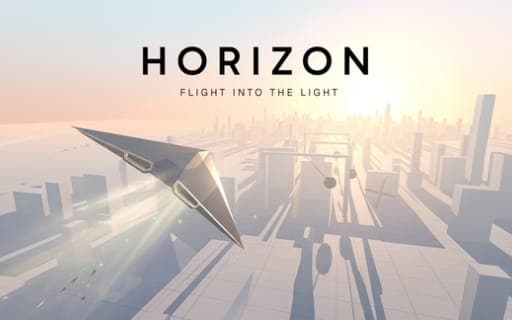
Horizon: Flight Into the Light
Game by Playgama. The provider may show ads and use cookies. Learn more
- Category
- Arcade
- Platform
- Web browser
- Provider
- Playgama
- Price
- Free to play
About Horizon: Flight Into the Light
Horizon: Flight Into the Light is a distance run flown in a glider, with the sinking sun as your real opponent. You steer between white towers toward the horizon while the light fades steadily, and a run ends either when you crash or when the sun has fully gone down. How far you get is what counts.
Pickups change the clock. Blue crystals lift the sun back up and fling the glider forward in a burst of speed, green crystals add jumps, and the shadows cast by buildings speed the sunset along. Triangles collected on the way carry over to the Hangar, where they buy permanent upgrades between runs. Every three kilometres a fresh world begins with its own obstacle set, drawn from windmills, presses, ramps, pendulums, gates, grinders and rolling balls.
Game provided by Playgama
How to play Horizon: Flight Into the Light
Objective
Fly as far as possible before the light runs out or you crash, using blue crystals to raise the sun and Hangar upgrades to stretch each run.
Controls
Desktop
- Arrow keys or A/D: steer
- Space, Up arrow or W: jump
Mobile
- Hold the left half of the screen: steer left
- Hold the right half of the screen: steer right
- Swipe up: jump
Getting started
- Start a flight and steer with the arrow keys or A and D, or on a phone by holding one half of the screen.
- Weave between the white towers and gather the triangles lying along your route toward the sun.
- Fly through blue crystals whenever you can, because each one raises the sun and throws the glider forward.
- Collect green crystals to stock up jumps, then use Space, W or the Up arrow, or swipe up, to clear obstacles.
- After the run ends, visit the Hangar and spend your triangles on permanent upgrades before the next flight.
Tips
- Avoid flying through building shadows, since they hurry the sunset along and cut into the flight time you have left.
- When the sun is low, chase blue crystals ahead of triangles: triangles only pay off later in the Hangar, but crystals keep the current run alive.
- Jumps come from green crystals, so do not waste them; keep one in reserve for an obstacle you cannot steer around.
- The hazards change at every 3 km mark, so steer cautiously for the first moments of each new world until you have seen its obstacles.
Play in your browser. No download needed.
Horizon: Flight Into the Light FAQ
What ends a flight in Horizon: Flight Into the Light?
Two things: crashing, or letting the light disappear. The sun sets steadily during every run, building shadows make it drop faster, and blue crystals are the way to push it back up.
How do you jump when playing on a phone?
Swipe up. Steering on a phone works by holding the half of the screen you want to turn toward, and a swipe up triggers a jump. On a computer, Space, W or the Up arrow jump, while the arrow keys or A and D steer.
What is the Hangar for?
The Hangar is where triangles from your flights turn into permanent upgrades. Because those upgrades persist between runs, every flight adds something toward going further next time, even one that ends in an early crash.
How often does the scenery change?
Every 3 km. Each new world brings a different mix of obstacles, from windmills, presses and pendulums to grinders, gates, ramps and rolling balls, so the course keeps shifting the further you fly.