
Dotto Botto
Free to play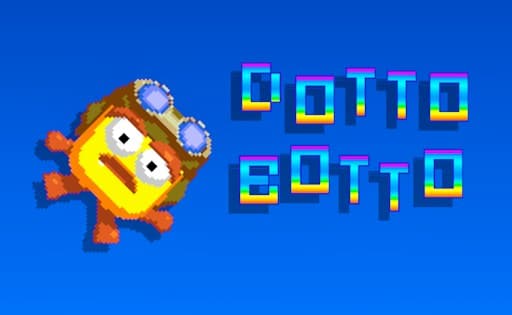
Dotto Botto
Game by GamePix. The provider may show ads and use cookies. Learn more
- Category
- Arcade
- Platform
- Web browser
- Provider
- GamePix
- Price
- Free to play
About Dotto Botto
Dotto Botto is a retro platformer starring a small yellow pixel hero in a round helmet. It opens with a short scene: a red ship spirals down trailing smoke over a rocky landscape seen from above, then the view cuts to Dotto standing beside the smoking wreck on a strip of grass, with tan dome hills, curly green pixel trees and drifting clouds behind. The DOTTO BOTTO title then spells itself out in rainbow letters that keep cycling through colours.
A flashing PRESS ANY BUTTON prompt sits under the hills, and a key press swaps it for a three-line menu of NEW GAME, AUDIO and MUSIC, with an arrow cursor and white lettering marking the current line. Beyond the menu, the game's description promises levels lined with spikes and hostile creatures to jump past, power-ups to find, small puzzles to solve and a huge boss before Dotto can get home. Everything up to that point is driven from the keyboard.
Game provided by GamePix
How to play Dotto Botto
Objective
Get the stranded pixel hero home by crossing level after level of spikes and enemies, picking up power-ups, and beating the colossal boss at the end.
Controls
Desktop
- Space bar: leave the PRESS ANY BUTTON title for the main menu
- W key: move the menu cursor up (from NEW GAME it wraps to MUSIC)
On a phone the title menu appears in landscape, but there are no touch buttons and taps or swipes do not select anything, so a keyboard is needed.
Getting started
- Let the opening scene run: the red ship falls through smoke over rocky ground, then Dotto stands beside the wreck as the rainbow title builds.
- When PRESS ANY BUTTON starts flashing under the hills, press the space bar to bring up the main menu.
- Read the three lines, NEW GAME, AUDIO and MUSIC; the one in white with the small arrow beside it is the current choice.
- Use the W key to move the highlight upward; from NEW GAME it wraps round to MUSIC at the bottom.
- Set the sound under AUDIO and MUSIC if needed, then put the highlight back on NEW GAME to begin the first level.
Tips
- Space opens the menu and W moves its cursor, so keep a hand on the keyboard from the title screen onward rather than reaching for the mouse.
- AUDIO and MUSIC sit directly under NEW GAME, so adjust volume before starting instead of looking for an options screen later.
- Spikes and enemies are the two hazards the description names, with a giant boss at the end, so grab every power-up you pass on the way.
- The crash in the opening scene sets the goal: the ship is wrecked, and each level moves Dotto one step closer to home.
Play in your browser. No download needed.
Dotto Botto FAQ
How do you get past the PRESS ANY BUTTON screen in Dotto Botto?
Press the space bar. The flashing prompt gives way to the main menu with NEW GAME, AUDIO and MUSIC, and the W key moves the white highlight between those three lines.
Can Dotto Botto be played on a phone?
Not comfortably. Turned sideways, a phone does load the title menu, but no touch buttons appear and taps or swipes do not choose a menu line, so a computer keyboard is the way to play.
What happens at the very start of Dotto Botto?
A short scene shows a red ship crashing in a cloud of smoke. Dotto, a small yellow pixel hero in a helmet, ends up next to the wreck, and the rainbow title appears above the hills.
Is there a boss in Dotto Botto?
Yes. According to the game's description, the adventure ends with a showdown against a colossal final boss, after levels full of spikes, enemies, power-ups and small challenges to work out.