
Connect 4
Free to play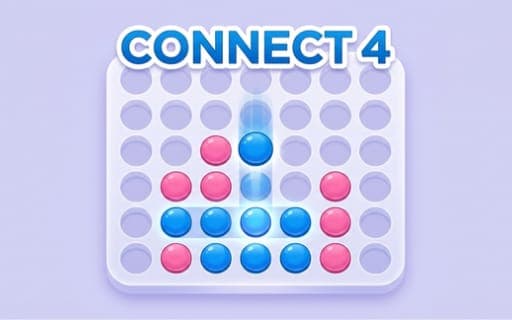
Connect 4
Game by Playgama. The provider may show ads and use cookies. Learn more
- Category
- Puzzle
- Platform
- Web browser
- Provider
- Playgama
- Price
- Free to play
About Connect 4
Connect 4 brings the familiar four-in-a-row board game to the screen. Two players take turns, each dropping a single colored disc into one of the seven columns, and each disc falls straight down to the lowest empty space. The first to line up four of their own discs horizontally, vertically or diagonally wins, and if every slot fills without a line of four, the game is a draw.
You can face a computer opponent at three difficulty levels, Easy, Normal and Hard, with the Hard AI built to stretch your strategic thinking, or play a friend in local two-player mode. An Undo feature lets you take back your last move and rethink, and the board comes in Light and Dark visual themes. Good play means working on two fronts at once, building your own line while blocking the one your opponent is setting up.
Game provided by Playgama
How to play Connect 4
Objective
Line up four of your own discs, whether across, up and down or on a diagonal, before your opponent does, while blocking the lines they try to build.
Controls
Desktop
- Mouse hover and click: hover over a column, then click to drop your disc
Mobile
- Tap: tap anywhere on a column to drop your piece
Getting started
- Choose an opponent: the AI on Easy, Normal or Hard, or a friend in local two-player mode.
- On your turn, pick one of the seven columns and drop a disc; it falls to the lowest empty space.
- Watch where your opponent drops, and block any line of three that could become four.
- Build toward four in a row of your own, horizontally, vertically or diagonally.
- Use Undo to take back your last move if you spot a mistake, and switch between Light and Dark themes if you like.
Tips
- Discs always fall to the lowest empty space, so before dropping, check which slot your disc will fill and what it opens up above it for your rival.
- Think on two fronts every turn: a move that extends your own line is wasted if it hands your opponent a winning four on the next turn.
- Start on Easy or Normal to learn how the AI responds, then try Hard, which is designed to push your planning to its limit.
- Use Undo as a learning tool against the AI, since replaying a losing move shows you which threat you missed.
Play in your browser. No download needed.
Connect 4 FAQ
Can you undo a move in Connect 4?
Yes. The Undo feature reverses your last action, so if you drop a disc in the wrong column you can take it back and rethink your strategy before continuing the match.
How hard is the AI in Connect 4?
There are three difficulty levels: Easy, Normal and Hard. The Hard setting is built to stretch your strategic thinking as far as it goes, while the lower levels give you room to learn.
How do you drop a disc on a phone in Connect 4?
Tap anywhere on the column you want and your piece drops into it. On a PC, hover the mouse over the desired column and click. Each disc falls to the lowest empty space.
Can Connect 4 end in a draw?
Yes. If every slot on the board is filled and neither player has connected four discs in a row, the match ends as a draw, and you can start a new game.