
Mix & Paint 3D
Free to play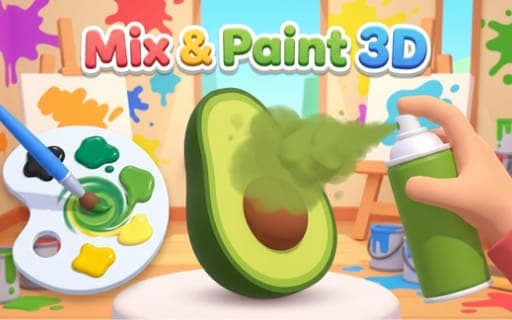
Mix & Paint 3D
Game by Playgama. The provider may show ads and use cookies. Learn more
- Category
- Puzzle
- Platform
- Web browser
- Provider
- Playgama
- Price
- Free to play
About Mix & Paint 3D
Mix & Paint 3D splits every level into two jobs. First you mix: each level shows a target color, and you build it on a palette by loading pigments onto your brush and blending them together. Then you paint, sweeping the brush or spray over a 3D object until it is covered in the shade you made.
Pressing Done sends your work off to be scored by how closely it matches the target. A score of 60% or more is a pass, and hitting 90% or more counts as a perfect result, so a close match is enough to progress while precise mixing earns the top mark. Clear wipes the palette when a mix goes wrong, and Hint offers help when a shade will not come together. Everything is done by pointing and dragging, with no keyboard needed at any point.
Game provided by Playgama
How to play Mix & Paint 3D
Objective
Mix a color that matches each level's target shade and paint the 3D object with it, scoring at least 60% accuracy to pass and 90% or higher for a perfect result.
Controls
Desktop
- Click a pigment: load it onto the brush
- Hold and drag on the palette: blend colors
- Hold and drag over the object: move the brush or spray across it
- Clear, Hint and Done buttons (click): reset the palette, get a hint or submit for scoring
Mobile
- Tap a pigment: load it onto the brush
- Hold and drag on the palette: mix the colors
- Hold and drag over the object: paint with the brush or spray
- Tap Clear, Hint or Done: reset, get a hint or submit
Getting started
- Look at the target color shown for the level and think about which pigments it might be made from.
- Click or tap a pigment so it loads onto the brush, and blend it on the palette by holding and dragging.
- Add more pigments and keep mixing until the shade on the palette looks like the target; press Clear to start over if it drifts.
- Hold and drag over the 3D object to sweep the brush or spray across it, covering the whole surface.
- Press Done to submit the painted object and see your accuracy, aiming for at least 60% to pass.
Tips
- Since 60% accuracy passes, there is no need to restart a mix that is merely close; save Clear for shades that have clearly gone the wrong way.
- Chase the perfect result by refining the mix before painting: anything at 90% or higher counts as perfect, and the score depends on how close your color is.
- Add pigments in small amounts and check the palette after each drag, because building toward a shade is easier than wiping it and starting again.
- Use Hint when you cannot tell which pigment is missing from your mix, rather than guessing and clearing the palette over and over.
Play in your browser. No download needed.
Mix & Paint 3D FAQ
What accuracy do you need to pass a level in Mix & Paint 3D?
At least 60%. Your painted object is scored on how closely its color matches the target, and reaching 90% or higher gives you a perfect result rather than a simple pass.
What do the Clear, Hint and Done buttons do?
Clear resets the palette so you can start the mix again, Hint gives you guidance toward the target shade, and Done submits the painted object for its accuracy score. Each one works with a click or a tap.
Do you need a keyboard?
No. The game works with a mouse or a touchscreen, and no keyboard keys are required. Loading pigments, mixing on the palette, painting and pressing the buttons are all click, tap or drag actions.
How do you paint the object?
Once your color is mixed, hold and drag across the 3D object to move the brush or spray over its surface. Cover it with your blended shade, then press Done to see how well it matches.